Issues getting Flarum to work on new host
-
@Hari It’s looking for a Redis install. Is this active ?
[2022-02-16 11:57:15] flarum.ERROR: Predis\Connection\ConnectionException: Connection refused [tcp://127.0.0.1:6379]@phenomlab yes, after installing composer i am supposed to install redis
-
@phenomlab i have changed the domain in flarum config file to IP but it is not working, trying to install composer now
@Hari Did you install composer as per this guide ?
https://getcomposer.org/download/
Essentially, it’s this
php -r "copy('https://getcomposer.org/installer', 'composer-setup.php');"
php -r "if (hash_file('sha384', 'composer-setup.php') === '906a84df04cea2aa72f40b5f787e49f22d4c2f19492ac310e8cba5b96ac8b64115ac402c8cd292b8a03482574915d1a8') { echo 'Installer verified'; } else { echo 'Installer corrupt'; unlink('composer-setup.php'); } echo PHP_EOL;"
php composer-setup.php
php -r "unlink('composer-setup.php');"
Mark Cutting also advises organisations as a Fractional CIO, Fractional CISO and Executive Advisor, helping boards improve technology governance, cyber resilience and executive decision making. Learn more at Gratmore Ltd
-
@Hari Did you install composer as per this guide ?
https://getcomposer.org/download/
Essentially, it’s this
php -r "copy('https://getcomposer.org/installer', 'composer-setup.php');" php -r "if (hash_file('sha384', 'composer-setup.php') === '906a84df04cea2aa72f40b5f787e49f22d4c2f19492ac310e8cba5b96ac8b64115ac402c8cd292b8a03482574915d1a8') { echo 'Installer verified'; } else { echo 'Installer corrupt'; unlink('composer-setup.php'); } echo PHP_EOL;" php composer-setup.php php -r "unlink('composer-setup.php');" -
@phenomlab yes,

@Hari It’s not installed

EDIT: Seems it is installed, but not correctly. You should be able to run this simply as
composer. However,php composer.pharwill work, but it’s clumsy to type…Mark Cutting also advises organisations as a Fractional CIO, Fractional CISO and Executive Advisor, helping boards improve technology governance, cyber resilience and executive decision making. Learn more at Gratmore Ltd
-
@Hari It’s not installed
EDIT: Seems it is installed, but not correctly. You should be able to run this simply as
composer. However,php composer.pharwill work, but it’s clumsy to type…i followed these two guides
php composer.phar
https://getcomposer.org/download/
https://getcomposer.org/doc/00-intro.mdi think i installed it in multiple places root and public_html
how can i fix it?
-
i followed these two guides
php composer.phar
https://getcomposer.org/download/
https://getcomposer.org/doc/00-intro.mdi think i installed it in multiple places root and public_html
how can i fix it?
@Hari Ok. Let me have a look at this for you.
-
@Hari done. You should now be able to run
composerdirectly as any user (preferably not root) inside thepublic_htmldirectory.Essentially, it needs to be installed as
php composer-setup.php --install-dir=/usr/bin --filename=composerMark Cutting also advises organisations as a Fractional CIO, Fractional CISO and Executive Advisor, helping boards improve technology governance, cyber resilience and executive decision making. Learn more at Gratmore Ltd
-
@Hari done. You should now be able to run
composerdirectly as any user (preferably not root) inside thepublic_htmldirectory.Essentially, it needs to be installed as
php composer-setup.php --install-dir=/usr/bin --filename=composer@phenomlab sir, do i need to move any files now? or did you fix it ?
-
@phenomlab sir, do i need to move any files now? or did you fix it ?
@Hari Fixed. No need to move anything. It should just “work”

-
@Hari you can go ahead and use
sudo apt install redis-server redis-toolsto get Redis up and running now. After that, (hopefully) Flarum should boot.Mark Cutting also advises organisations as a Fractional CIO, Fractional CISO and Executive Advisor, helping boards improve technology governance, cyber resilience and executive decision making. Learn more at Gratmore Ltd
-
@Hari you can go ahead and use
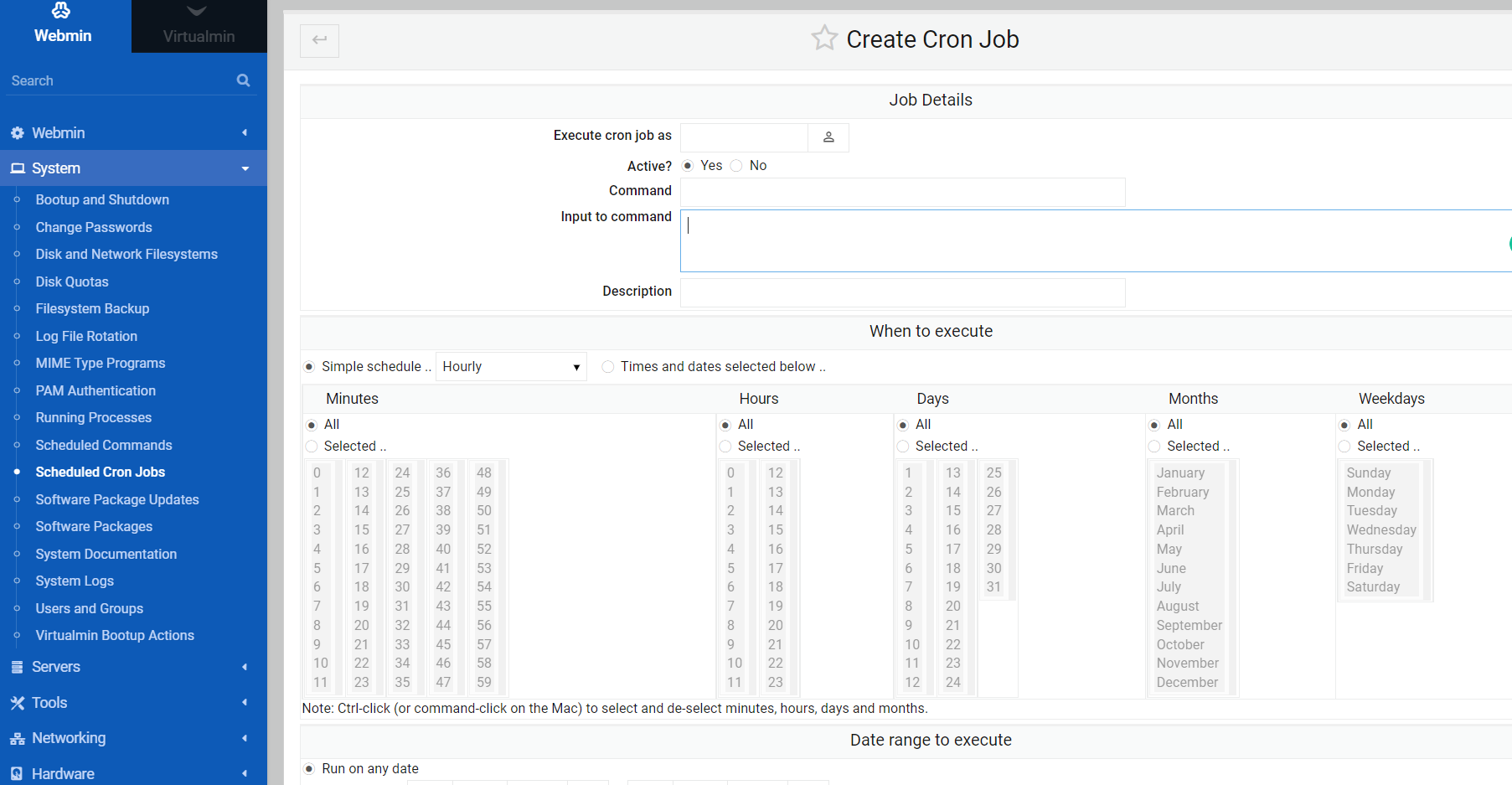
sudo apt install redis-server redis-toolsto get Redis up and running now. After that, (hopefully) Flarum should boot.@phenomlab i should also setup cron jobs now searching
-
@phenomlab i should also setup cron jobs now searching
@Hari This should help
https://sudonix.org/topic/27/help-me-configuring-cron-job-for-fof-sitemap-flarum?_=1645013723647
Mark Cutting also advises organisations as a Fractional CIO, Fractional CISO and Executive Advisor, helping boards improve technology governance, cyber resilience and executive decision making. Learn more at Gratmore Ltd
-
@phenomlab i have added cron job
updated the config file but flarum is not running on IP
when i disable redis its not loading inner pages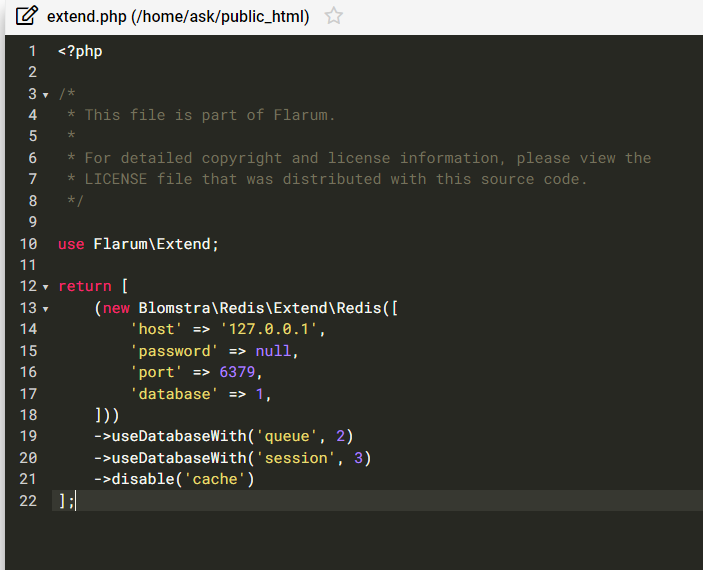
-
@phenomlab i have added cron job
updated the config file but flarum is not running on IP
when i disable redis its not loading inner pages@Hari That’s expected because you didn’t run
sudo apt install redis-server redis-tools
I’ve just done this, and the site now loads.Mark Cutting also advises organisations as a Fractional CIO, Fractional CISO and Executive Advisor, helping boards improve technology governance, cyber resilience and executive decision making. Learn more at Gratmore Ltd
-
@Hari That’s expected because you didn’t run
sudo apt install redis-server redis-tools
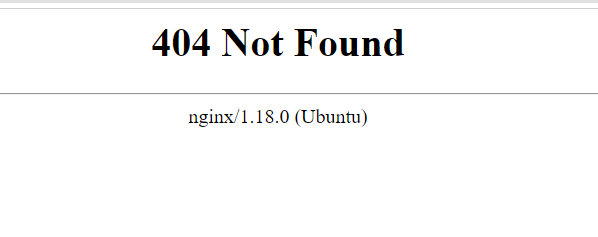
I’ve just done this, and the site now loads.@phenomlab i did execute that command, the inner discussion pages still not loading
-
@phenomlab i did execute that command, the inner discussion pages still not loading
@Hari said in Issues getting Flarum to work on new host:
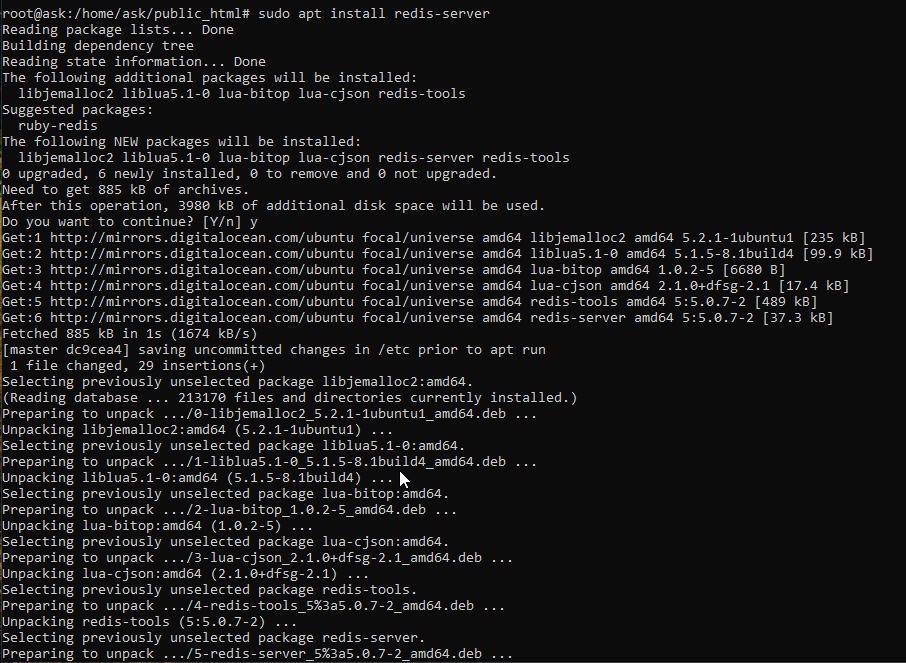
i did execute that command, the inner discussion pages still not loading
If you’d executed it, then it wouldn’t have installed when I ran it
@Hari said in Issues getting Flarum to work on new host:
the inner discussion pages still not loading
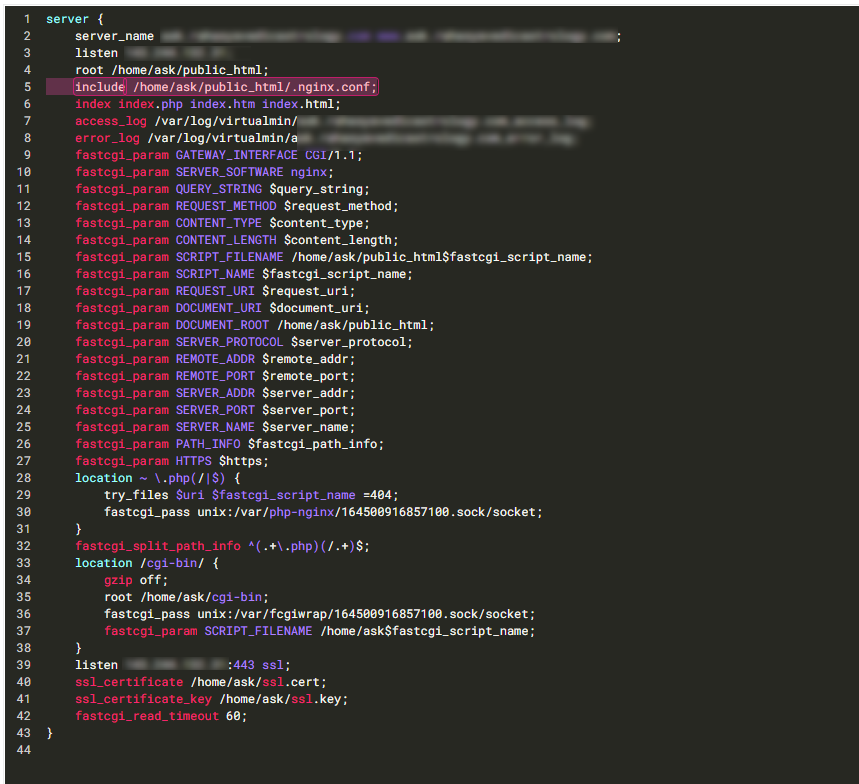
This is also expected as you haven’t included the
.nginx.conffile. Hold on a second. -
@Hari works now - see config below (highlighted section)
Mark Cutting also advises organisations as a Fractional CIO, Fractional CISO and Executive Advisor, helping boards improve technology governance, cyber resilience and executive decision making. Learn more at Gratmore Ltd
-
 undefined phenomlab referenced this topic on
-
-
@phenomlab is this config file?
@Hari Your NGINX site config file, yes. Essentially, we just include the
.nginx.conffile in there so it’s loaded when the site is. You needmod_rewritefor Flarum to workMark Cutting also advises organisations as a Fractional CIO, Fractional CISO and Executive Advisor, helping boards improve technology governance, cyber resilience and executive decision making. Learn more at Gratmore Ltd
-
@Hari Your NGINX site config file, yes. Essentially, we just include the
.nginx.conffile in there so it’s loaded when the site is. You needmod_rewritefor Flarum to work@phenomlab could you tell me the path of this file

Hello! It looks like you're interested in this conversation, but you don't have an account yet.
Getting fed up of having to scroll through the same posts each visit? When you register for an account, you'll always come back to exactly where you were before, and choose to be notified of new replies (either via email, or push notification). You'll also be able to save bookmarks and upvote posts to show your appreciation to other community members.
With your input, this post could be even better 💗
Register LoginDid this solution help you?
Related Topics
-
-
-
Issues with v3 alpha and Harmony
Moved Solved Configure -
-
-
-
-
Email issue (virturalmin)
Solved Hosting