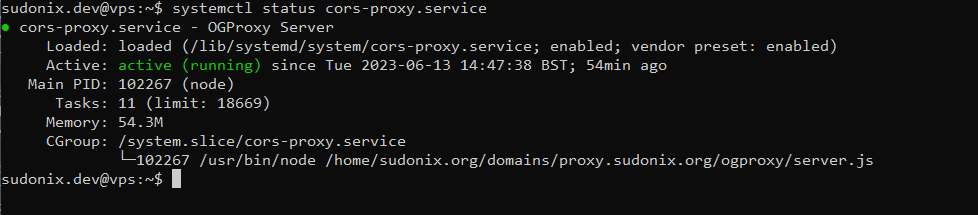
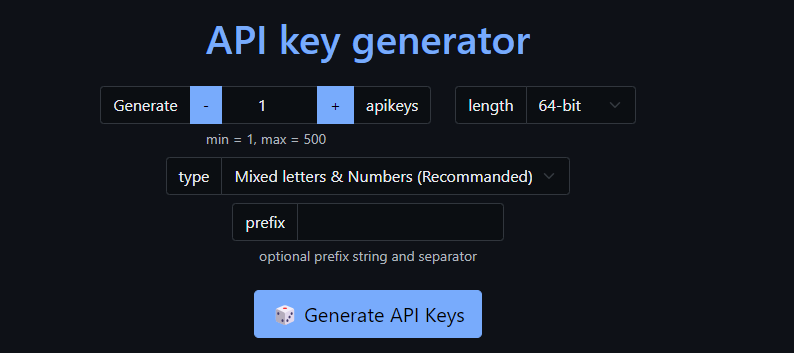
Setup OGProxy for use in NodeBB
-
@DownPW yes, I’m happy to do that. Actually, I think I might have a workable way of doing this without impacting performance.
-
@DownPW Try this revised post
https://sudonix.org/topic/498/setup-ogproxy-for-use-in-nodebb/82?_=1688636028700
And for demonstration purposes, I’m including a my link test here
Please thoroughly test this. It seems ok on my side, and if you agree, I’ll commit the code to
git -
 undefined phenomlab referenced this topic on
-
Another edit - I’ve modified an existing function used in the code so that it will now detect if a URL is on a line of it’s own - if it is, it will be processed, but if it’s not, it will be ignored.
This is a much cleaner way of doing it, and it’s running here. I will give this a few days, and if things work as they are now with no identified bugs, I’ll commit the new code in
git -
Sorry I haven’t got time to test t
Your code above like you said above … sorry
Just update fonction.js for test it ?PW and WS Spirit alive
-
Sorry I haven’t got time to test t
Your code above like you said above … sorry
Just update fonction.js for test it ?@DownPW there’s nothing to test yet as I haven’t committed the new code. I’ll get this done today.
-
@DownPW I have just committed the latest code to
git- it’s onlyfunction.jscode and won’t require a restart of theOGProxyservice.Mark Cutting also advises organisations as a Fractional CIO, Fractional CISO and Executive Advisor, helping boards improve technology governance, cyber resilience and executive decision making. Learn more at Gratmore Ltd
-
cool many thanks

-
Hi @phenomlab
it seem virtualmin doesn’t add http2 directive on nginx configuration like you said on tutorial :
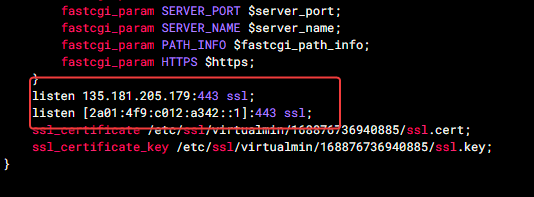
Should I add it?
what does it bring?PW and WS Spirit alive
-
Hi @phenomlab
it seem virtualmin doesn’t add http2 directive on nginx configuration like you said on tutorial :
Should I add it?
what does it bring?@DownPW it does, but you have to enable it.
Vitrualmin/Server Configuration/Website Options
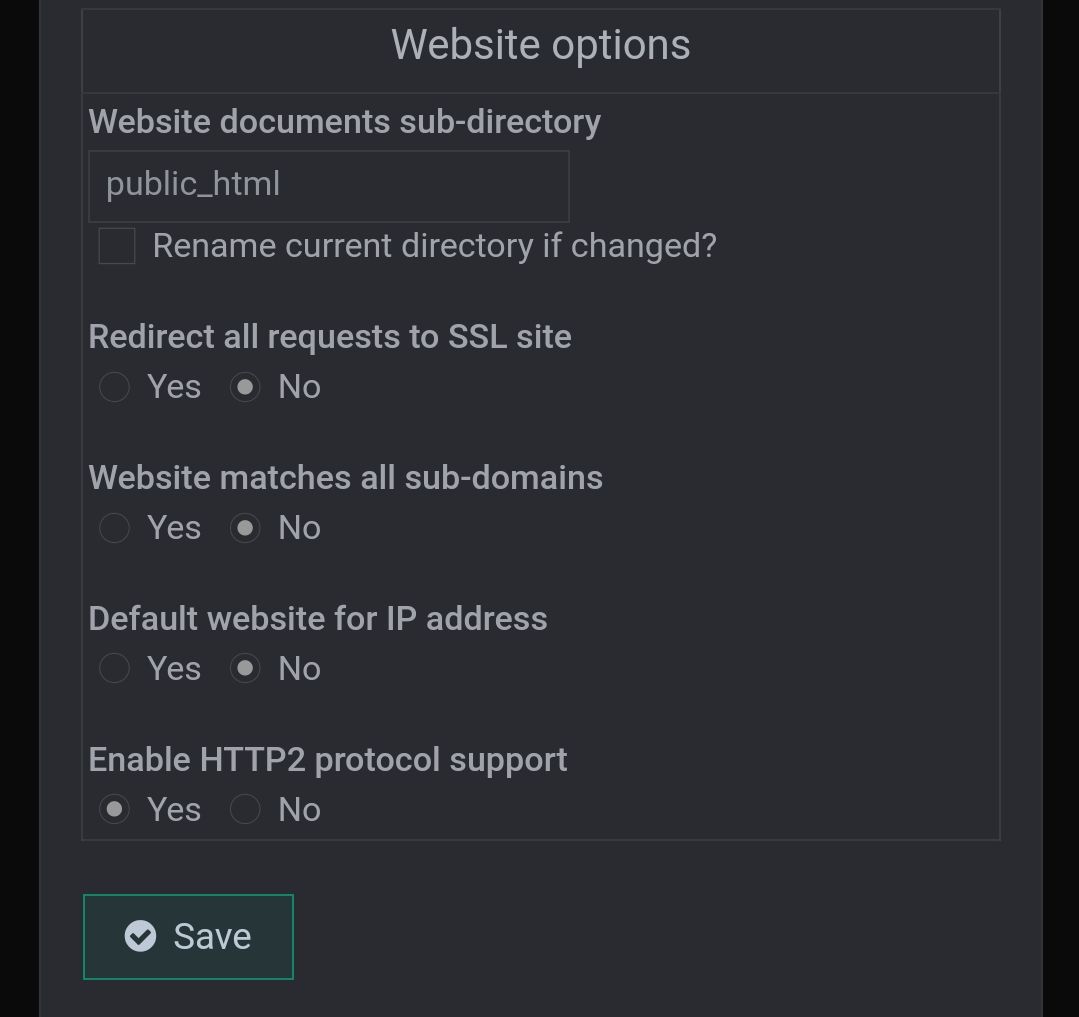
A fairly concise explanation of
http2and it’s benefits can be found here.https://www.limelightonline.co.nz/blog/what-http2-benefit-your-website/
-
Ok thank you for information my friend

-
Fixed a minor bug to prevent anchor href wrapping entire width of parent element. Updated code available at
https://github.com/phenomlab/ogproxy/blob/main/function.js
Note, that you will also need this additional block of CSS
.card.card-wrapper {
     background: none;
     width: 450px;
}
 @media (max-width: 767px) {
     .card.card-wrapper {
         background: none;
         width: 100%;
    }
}
The original post instructions have been updated
-
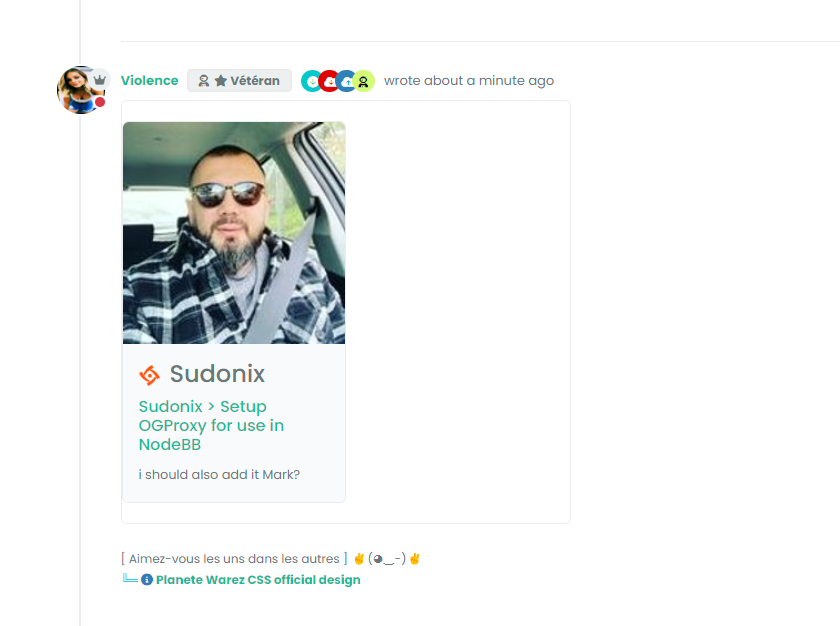
i should also add it Mark?
-
you just need to copy the code from the below
https://github.com/phenomlab/ogproxy/blob/main/function.js
And, of course, replace these two values with your own that you already have
var proxy = "FULL_FQDN_OF_YOUR_OGPROXY_HERE";
var apiKey = "YOUR_API_KEY_HERE";
And add new css block code to ACP/custom CSS
-
-
result with latest code @phenomlab :
My css :
*----------------------------------------------------------------------------*/
/*------------------        nodebb-plugin-OGPROXY       ----------------------*/
/*----------------------------------------------------------------------------*/

/* Desktop */

/* Iframe */
.card img.card-favicon {
    max-width: 21px;
    max-height: 21px;
    margin-right: 10px;
}
h4.card-site-title {
    color: var(--bs-body-color);
    text-transform: capitalize;
}
.card.card-preview {
    margin: 20px 0 20px 0;
    width: 50%;
}
[component="chat/message"] .card.card-preview {
    margin: 20px 0 20px 0;
    width: 30%;
}
.card.card-preview img:not(.card-favicon) {
    object-fit: cover;
    width: 100%;
    max-height: 15rem;
    border-top-left-radius: 0.375rem;
    border-top-right-radius: 0.375rem;
}
  .card.card-preview .img-fluid {
    max-width: 100% !important;
  }
  .card-preview p.card-text {
    font-size: 80%;
    color: var(--bs-body-color);

  }
  .card-preview h5.card-title {
    font-weight: 600;
    font-size: 120%;
    color: var(--bs-body-color);
}

/* Effect hover Iframe */
.card-image-container {
    max-width: 100%;
    max-height: 250px;
    overflow: hidden;
    border-top-left-radius: 0.375rem !important;
    border-top-right-radius: 0.375rem !important;
}
#card-image {
    -webkit-transition: all 0.8s ease;
    -moz-transition: all 0.8s ease;
    transition: all 0.8s ease;
}
#card-image:hover {
    transform: scale(1.5,1.5);
  }

.card.card-wrapper {
    background: none;
    width: 450px;
}

/* Smartphone */
@media (max-width: 1010px) {
    [component="chat/message"] .card.card-preview {
    margin: 20px 0 20px 0;
    width: 100%;
    }

    .card.card-preview {
    margin: 20px 0 20px 0;
    width: 100%;
}
}
maybe you should put the css code in github
-
Thanks. I’ve just seen another bug on mobile because I didn’t add the mobile class. I’ll do it tomorrow and update the code
-
fixed
with this code (add no border and change width) :
.card.card-wrapper {
    background: none;
    border: none;
    /* width: 450px; */
    width: 100%;
}
All the code fixed for Desktop & Smartphone and adding Effect hover Iframe :
/*----------------------------------------------------------------------------*/ /*------------------ nodebb-plugin-OGPROXY ----------------------*/ /*----------------------------------------------------------------------------*/ /* Desktop */ .card img.card-favicon { max-width: 21px; max-height: 21px; margin-right: 10px; } h4.card-site-title { color: var(--bs-body-color); text-transform: capitalize; } .card.card-preview { margin: 20px 0 20px 0; width: 50%; } .card.card-wrapper { background: none; border: none; /* width: 450px; */ width: 100%; } [component="chat/message"] .card.card-preview { margin: 20px 0 20px 0; width: 30%; } .card.card-preview img:not(.card-favicon) { object-fit: cover; width: 100%; max-height: 15rem; border-top-left-radius: 0.375rem; border-top-right-radius: 0.375rem; } .card.card-preview .img-fluid { max-width: 100% !important; } .card-preview p.card-text { font-size: 80%; color: var(--bs-body-color); } .card-preview h5.card-title { font-weight: 600; font-size: 120%; color: var(--bs-body-color); } /* Effect hover Iframe */ .card-image-container { max-width: 100%; max-height: 250px; overflow: hidden; border-top-left-radius: 0.375rem !important; border-top-right-radius: 0.375rem !important; } #card-image { -webkit-transition: all 0.8s ease; -moz-transition: all 0.8s ease; transition: all 0.8s ease; } #card-image:hover { transform: scale(1.5,1.5); } /* Smartphone */ @media (max-width: 1010px) { [component="chat/message"] .card.card-preview { margin: 20px 0 20px 0; width: 100%; } .card.card-preview { margin: 20px 0 20px 0; width: 100%; } } -
Found another bug where mentions are converted into preview links in chat where they shouldn’t be (thanks @DownPW for reporting).
-
i confused. what i have to do add or delete
-
@cagatay see below
https://github.com/phenomlab/ogproxy/blob/03d5ff125611361700d785bd82a6ab16fcd68bfc/function.js#L7
It’s basically this line - replace what you already have in your JS functions with this one.
Mark Cutting also advises organisations as a Fractional CIO, Fractional CISO and Executive Advisor, helping boards improve technology governance, cyber resilience and executive decision making. Learn more at Gratmore Ltd



Hello! It looks like you're interested in this conversation, but you don't have an account yet.
Getting fed up of having to scroll through the same posts each visit? When you register for an account, you'll always come back to exactly where you were before, and choose to be notified of new replies (either via email, or push notification). You'll also be able to save bookmarks and upvote posts to show your appreciation to other community members.
With your input, this post could be even better 💗
Register Login