Forum not loading
-
This post is deleted!
-
@phenomlab said in NodeBB - Created pages not found?:
I just managed to renew the cert You’re back in the game…
Brilliant!
Many thanks Mark, how did you manage that?

@jac I noticed that the
.well-knowndirectories for LE had been deleted from your default web server path, so I recreated them and forced a renewMark Cutting also advises organisations as a Fractional CIO, Fractional CISO and Executive Advisor, helping boards improve technology governance, cyber resilience and executive decision making. Learn more at Gratmore Ltd
-
@phenomlab definitely.
Just tried to check the forum but it’s not loading for with or without the VPN. Sorry to be a pain can you check at your end please?
Many thanks.
-
@phenomlab definitely.
Just tried to check the forum but it’s not loading for with or without the VPN. Sorry to be a pain can you check at your end please?
Many thanks.
@jac "Web page not available
The web page at https://stockportcounty.fans/ could not be loaded because:net::ERR_FAILED"
-
@jac "Web page not available
The web page at https://stockportcounty.fans/ could not be loaded because:net::ERR_FAILED"
@jac it’s up, but it looks like the certificate has expired.
Mark Cutting also advises organisations as a Fractional CIO, Fractional CISO and Executive Advisor, helping boards improve technology governance, cyber resilience and executive decision making. Learn more at Gratmore Ltd
-
@phenomlab Oh right still not loading for me. How do I fix this?
Many thanks.
-
@phenomlab Oh right still not loading for me. How do I fix this?
Many thanks.
-
Seems there’s an issue with Let’s Encrypt on this server. For reasons unknown the cert will not renew, and you get a maximum of 10 retries per day per domain, which have now been exhausted.
We could work around this by purchasing a cert elsewhere (relatively cheaply - see below), which would alleviate this issue.
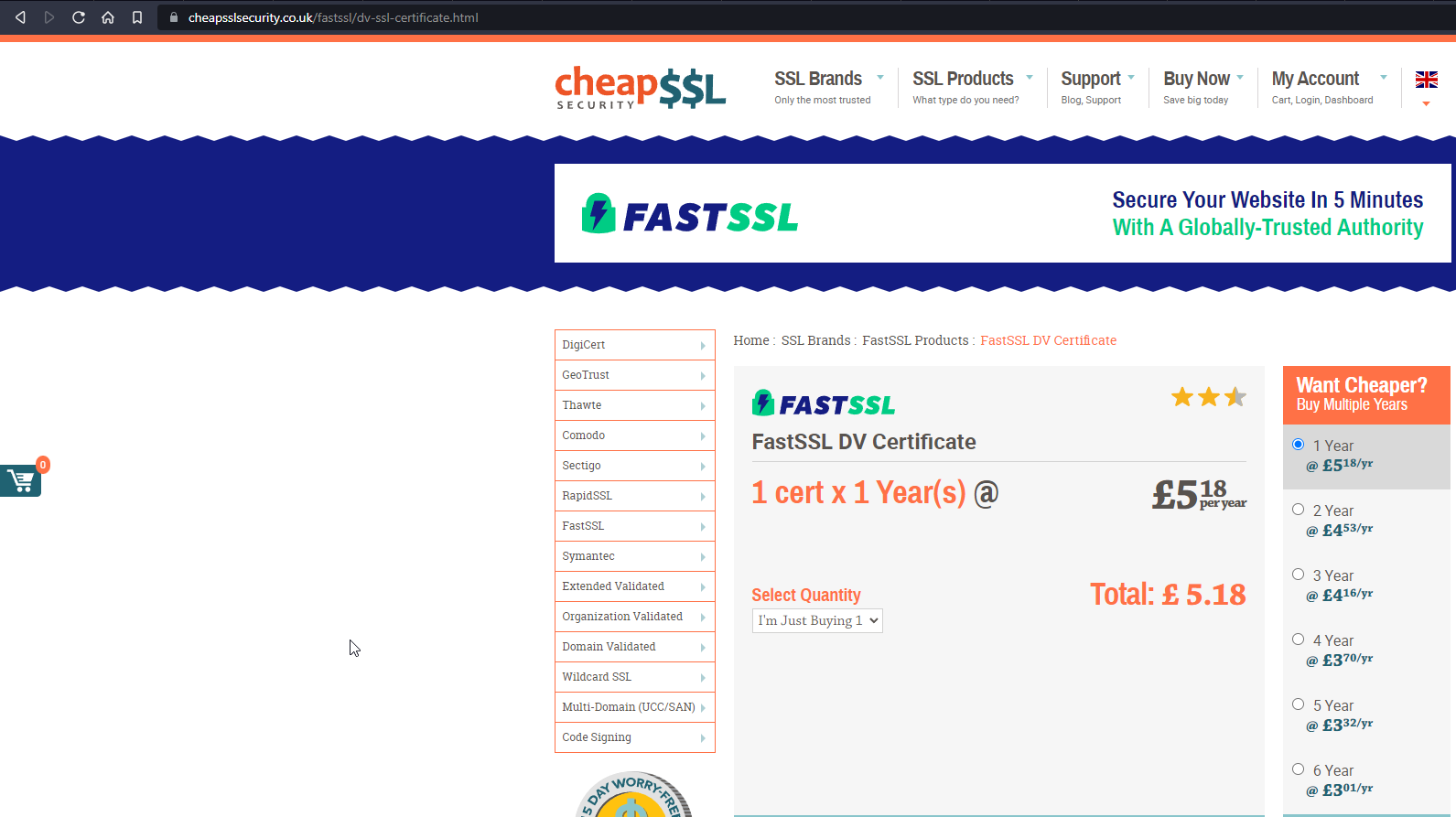
I’ve used these certs before, and they are trustworthy and work. I’ll also see if I can get the LE certification into a workable state in the meantime. Personally, I’m not a fan of LE as it is problematic to say the least.
Mark Cutting also advises organisations as a Fractional CIO, Fractional CISO and Executive Advisor, helping boards improve technology governance, cyber resilience and executive decision making. Learn more at Gratmore Ltd
-
Seems there’s an issue with Let’s Encrypt on this server. For reasons unknown the cert will not renew, and you get a maximum of 10 retries per day per domain, which have now been exhausted.
We could work around this by purchasing a cert elsewhere (relatively cheaply - see below), which would alleviate this issue.
I’ve used these certs before, and they are trustworthy and work. I’ll also see if I can get the LE certification into a workable state in the meantime. Personally, I’m not a fan of LE as it is problematic to say the least.
@phenomlab said in NodeBB - Created pages not found?:
Seems there’s an issue with Let’s Encrypt on this server. For reasons unknown the cert will not renew, and you get a maximum of 10 retries per day per domain, which have now been exhausted.
We could work around this by purchasing a cert elsewhere (relatively cheaply - see below), which would alleviate this issue.
I’ve used these certs before, and they are trustworthy and work. I’ll also see if I can get the LE certification into a workable state in the meantime. Personally, I’m not a fan of LE as it is problematic to say the least.
Thanks for digging into all that.
That’s a massive shame that the free attempts have been exhausted.
So the alternative is to find a different provider?
-
@phenomlab said in NodeBB - Created pages not found?:
Seems there’s an issue with Let’s Encrypt on this server. For reasons unknown the cert will not renew, and you get a maximum of 10 retries per day per domain, which have now been exhausted.
We could work around this by purchasing a cert elsewhere (relatively cheaply - see below), which would alleviate this issue.
I’ve used these certs before, and they are trustworthy and work. I’ll also see if I can get the LE certification into a workable state in the meantime. Personally, I’m not a fan of LE as it is problematic to say the least.
Thanks for digging into all that.
That’s a massive shame that the free attempts have been exhausted.
So the alternative is to find a different provider?
@jac No - you could wait until the following day, and try again, but it does mean that you need to ensure everything is setup correctly.
Mark Cutting also advises organisations as a Fractional CIO, Fractional CISO and Executive Advisor, helping boards improve technology governance, cyber resilience and executive decision making. Learn more at Gratmore Ltd
-
@jac No - you could wait until the following day, and try again, but it does mean that you need to ensure everything is setup correctly.
@phenomlab it looks like I’m probably best buying one do you think? not that I want to of course!

-
@phenomlab it looks like I’m probably best buying one do you think? not that I want to of course!
@jac Well, there’s a couple of choices. I now have this working from the
CERTBOTperspective, so I think that this will work once the retries counter has been reset. So- You wait until the retry counter is reset (typically next day) then attempt to renew the cert then
- You purchase a cert, and not have to worry about it for a year
Up to you.
Mark Cutting also advises organisations as a Fractional CIO, Fractional CISO and Executive Advisor, helping boards improve technology governance, cyber resilience and executive decision making. Learn more at Gratmore Ltd
-
Another option is to route the domain via Cloudflare. This will provide a free certificate, but does come at a price in the sense that it will impact the websocket server to the point where the direct socket doesn’t work, and will fall back to
XMLHTTP.If you’re willing to go down this route, I can facilitate
Mark Cutting also advises organisations as a Fractional CIO, Fractional CISO and Executive Advisor, helping boards improve technology governance, cyber resilience and executive decision making. Learn more at Gratmore Ltd
-
@jac Well, there’s a couple of choices. I now have this working from the
CERTBOTperspective, so I think that this will work once the retries counter has been reset. So- You wait until the retry counter is reset (typically next day) then attempt to renew the cert then
- You purchase a cert, and not have to worry about it for a year
Up to you.
@phenomlab said in NodeBB - Created pages not found?:
You wait until the retry counter is reset (typically next day) then attempt to renew the cert then
Probably the most logical I guess.
-
Another option is to route the domain via Cloudflare. This will provide a free certificate, but does come at a price in the sense that it will impact the websocket server to the point where the direct socket doesn’t work, and will fall back to
XMLHTTP.If you’re willing to go down this route, I can facilitate
@phenomlab said in NodeBB - Created pages not found?:
Another option is to route the domain via Cloudflare. This will provide a free certificate, but does come at a price in the sense that it will impact the websocket server to the point where the direct socket doesn’t work, and will fall back to XMLHTTP.
If you’re willing to go down this route, I can facilitateIs this a sensible option as in will it slow the forum down / increase loading time?
-
@phenomlab said in NodeBB - Created pages not found?:
Another option is to route the domain via Cloudflare. This will provide a free certificate, but does come at a price in the sense that it will impact the websocket server to the point where the direct socket doesn’t work, and will fall back to XMLHTTP.
If you’re willing to go down this route, I can facilitateIs this a sensible option as in will it slow the forum down / increase loading time?
@jac No, quite the opposite in fact
Mark Cutting also advises organisations as a Fractional CIO, Fractional CISO and Executive Advisor, helping boards improve technology governance, cyber resilience and executive decision making. Learn more at Gratmore Ltd
-
@phenomlab Great!
Is there any risk with doing that then?
-
@phenomlab Great!
Is there any risk with doing that then?
@jac No, not really. I’ll do it now.
Mark Cutting also advises organisations as a Fractional CIO, Fractional CISO and Executive Advisor, helping boards improve technology governance, cyber resilience and executive decision making. Learn more at Gratmore Ltd
-
-
@phenomlab Many thanks pal

@jac As you do not have a Cloudflare account, we will need to create one - or, I can tack your domain onto my account meaning I will be responsible for it.
Up to you.
Mark Cutting also advises organisations as a Fractional CIO, Fractional CISO and Executive Advisor, helping boards improve technology governance, cyber resilience and executive decision making. Learn more at Gratmore Ltd
-
Before we go down this route, I’m going to wait an hour to see if I can renew the LE cert.
Mark Cutting also advises organisations as a Fractional CIO, Fractional CISO and Executive Advisor, helping boards improve technology governance, cyber resilience and executive decision making. Learn more at Gratmore Ltd



Hello! It looks like you're interested in this conversation, but you don't have an account yet.
Getting fed up of having to scroll through the same posts each visit? When you register for an account, you'll always come back to exactly where you were before, and choose to be notified of new replies (either via email, or push notification). You'll also be able to save bookmarks and upvote posts to show your appreciation to other community members.
With your input, this post could be even better 💗
Register LoginDid this solution help you?
Related Topics
-
Nodebb to Xenforo
Solved Configure -
Spam spam spam
Solved Configure -
Test of youtube embeds
Solved Configure -
-
Email Server Settings
Solved Configure -
-
-
Forum registration email goes to spam
Moved Solved Configure