Material View Support for Stock NodeBB

-
hmm that doesn’t help me much

PW and WS Spirit alive
-
@DownPW Add this to your existing css class of
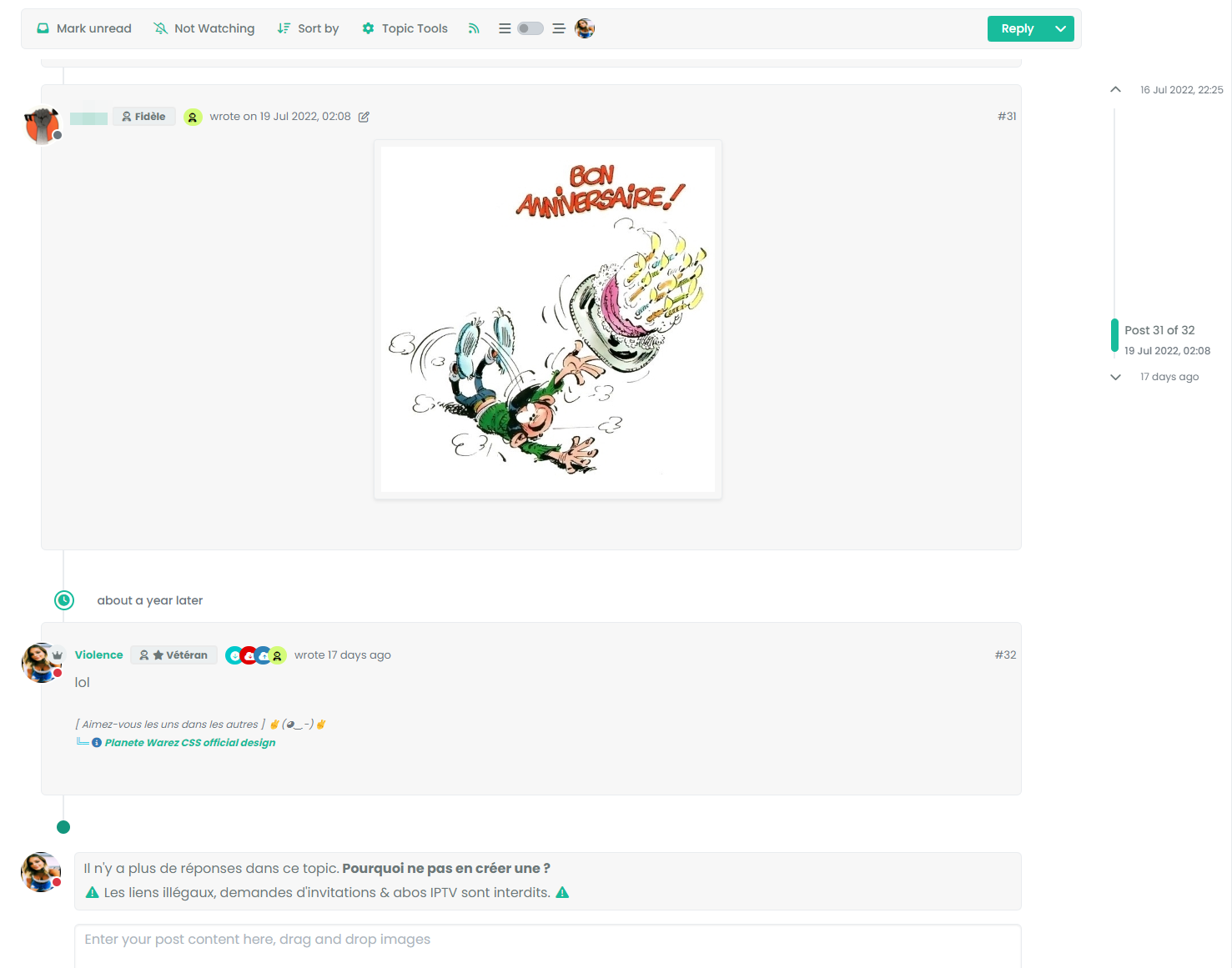
.page-topic .topic .posts.timeline [component="topic/event"].timeline-event, .page-topic .topic .posts.timeline [component="topic/necro-post"].timeline-eventmargin-left: 52px;So you land up with
.page-topic .topic .posts.timeline [component="topic/event"].timeline-event, .page-topic .topic .posts.timeline [component="topic/necro-post"].timeline-event {
    margin-bottom: 10px;
    margin-left: 52px;
}
That will fix it.
-
no it’s worse
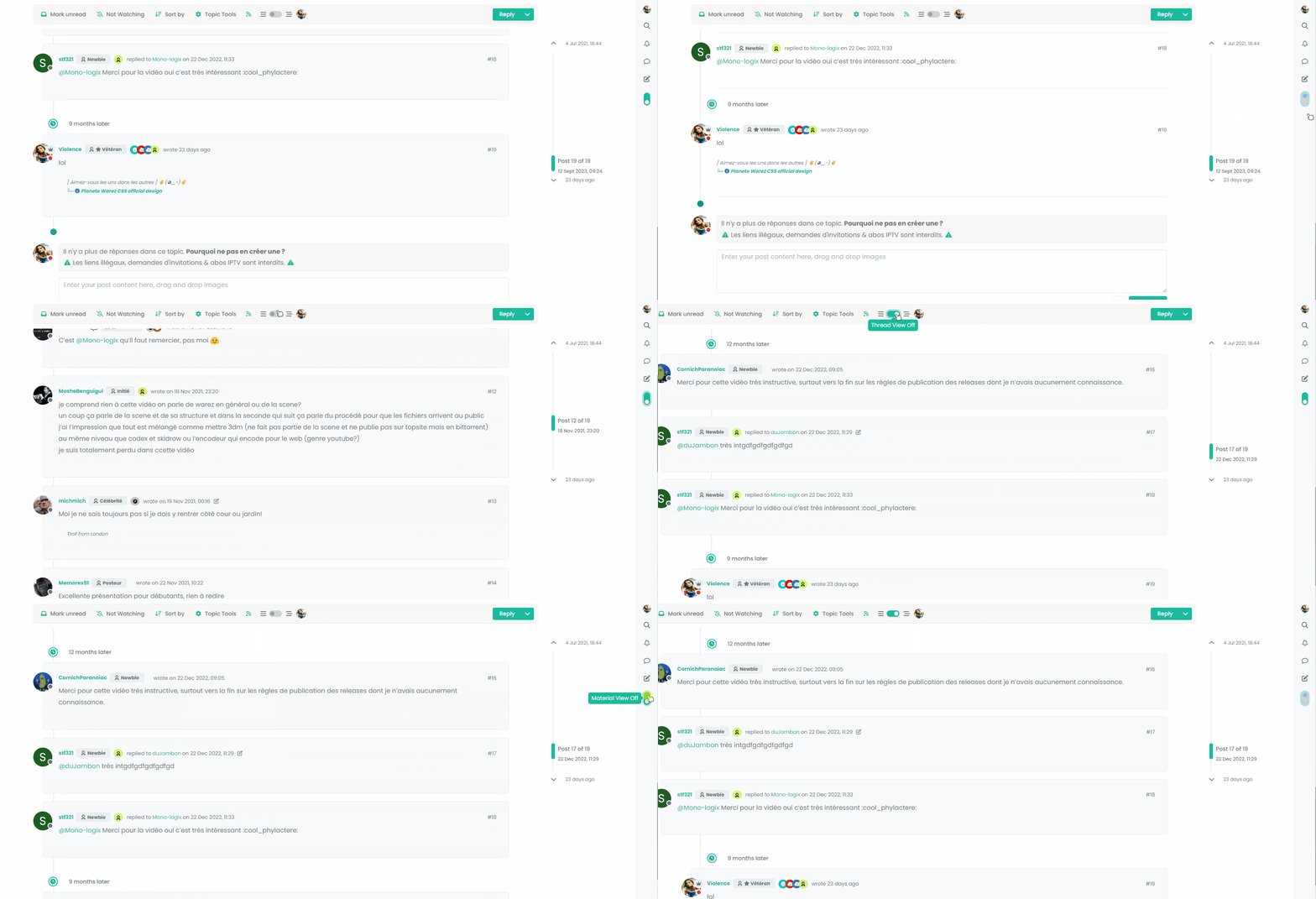
Maybe, the best would be to add a .material class but I can’t do it at the moment
PW and WS Spirit alive
-
no it’s worse
Maybe, the best would be to add a .material class but I can’t do it at the moment
@DownPW I remember this same issue now when I came across it whilst writing the
threadedfunction. The problem here is that[component="topic/necro-post"]actually isn’t present in the DOM on page load, but added afterwards. This is why once the page has loaded, you can target the element with the toggle switch because it is in the DOM at the time. Because the this specific element is loaded afterwards, you cannot target it if it doesn’t exist.This effectively means you cannot add a class to an element that is not there. To work around this, you’d either have to wait for the page to load, add the
necroelement, then target it.Or, use the CSS I provided, and then “counter” it using other CSS when the class is removed. This is what I do in thwe
threadedfunction.Raised this as an issue here
https://community.nodebb.org/topic/17590/necro-function-dom-changes
EDIT - should work now
I’ve added a loop in your
materialfunction that looks specifically for the necro post$('[component="topic/necro-post"]').each(function () { // Add the 'material' class to matching elements if ($(this).hasClass('timeline-event')) { $(this).addClass('material'); } });And also (on the advice of Baris) added a new hook as below
$(window).on('action:topic.loaded', function (data) {
    material();
});
There are two separate hooks that look very much the same, but do different things (one has an “s” at the end, whilst the other doesn’t - “action:topic.loaded” and “action:topic%(#fa0000)[s].loaded”
Now it works as intended
-
ohh yes better
I undersxtand for adding .each(function () for [component=“topic/necro-post”]
I have read the thread on nodeBB communauty. On the other hand, I don’t really understand the difference for the hook in topic and topicS
PW and WS Spirit alive
-
ohh yes better
I undersxtand for adding .each(function () for [component=“topic/necro-post”]
I have read the thread on nodeBB communauty. On the other hand, I don’t really understand the difference for the hook in topic and topicS
@DownPW I think the difference is that the
topichook is for single, andtopicsfor a selection. Makes sense, but not very well explained in the documentation! -
Thanks for explain. Make sense, indeed but it’s not easy to know without Baris help
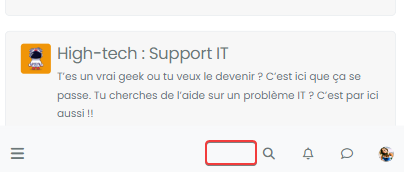
Still with the idea of improving the code, I’m going to focus now on making the selection button appear on Smartphone.
Indeed, currently, it does not appear because it seems that on Smartphone another component is used

-
I test this :
// ------------------------------------------
// material View Mode
// ------------------------------------------

function material() {
    $(document).ready(function () {
        var $buttonContainer = null;

        // Check if the screen width is 460px or more
        if ($(window).width() >= 991) {
            // Check if the custom thread view button already exists in the right sidebar
            $buttonContainer = $('[component="sidebar/right"]');
        } if ($(window).width() <= 991) {
            // Check if the custom thread view button already exists in the bottom bar
            $buttonContainer = $('[component="bottombar"]');

        }
PW and WS Spirit alive
-
I test this :
// ------------------------------------------ // material View Mode // ------------------------------------------ function material() { $(document).ready(function () { var $buttonContainer = null; // Check if the screen width is 460px or more if ($(window).width() >= 991) { // Check if the custom thread view button already exists in the right sidebar $buttonContainer = $('[component="sidebar/right"]'); } if ($(window).width() <= 991) { // Check if the custom thread view button already exists in the bottom bar $buttonContainer = $('[component="bottombar"]'); }@DownPW yes, the same methodology is used for the theme switcher in NodeBB v2.x

-
ohh yes, don’t see that to be honest.
Button appear but hard to position it correctly for all resolution.
The button moves according to the resolution. it is not fixedPW and WS Spirit alive
-
ohh yes, don’t see that to be honest.
Button appear but hard to position it correctly for all resolution.
The button moves according to the resolution. it is not fixed@DownPW if you use
apendthen it should reflect the div it is inserted into.The version of the theme switcher from the NodeBB v2 series used the same mechanism, and that code is still listed in this forum. It would be a good idea to review that code for inspiration as the placement for the switcher drop down was set depending on screen estate.
-
@DownPW this should provide the functionality you are looking for
// ------------------------------------------
// material View Mode
// ------------------------------------------
function material() {
    $(document).ready(function () {
            // Create the button for custom thread view mode with custom IDs
            if ($('#materialThreadViewButton').length === 0) {
                var threadViewButton = $('<div class="material-threads-wrapper"><form class="form"><div class="form-check form-switch form-switch-sm material-threads-wrapper"> \
                    <input class="form-check-input" id="materialThreadViewButton" type="checkbox" data-field="materialThreadView"> \
                    <label class=" d-none d-md-inline fw-semibold" for="materialThreadViewButton"></label> \
                </div></form></div>');

                        // Check if the screen width is 460px or more
        if ($(window).width() >= 991) {
            // Check if the custom thread view button already exists in the right sidebar
            var buttonContainer = $('[component="sidebar/right"]');
            // Append the button to the selected container
            buttonContainer.append(threadViewButton);
        }
        if ($(window).width() <= 991) {
            // Check if the custom thread view button already exists in the bottom bar
            //$buttonContainer = $('.bottombar-nav.p-2.text-dark.bg-light.d-flex.justify-content-between.align-items-center.w-100');
            if ($("#logged-in-menu").length > 0) {
            var buttonContainer = $('.bottombar-nav ul#logged-in-menu');
            }
            else {
                var buttonContainer = $('.bottombar-nav ul#logged-out-menu');
            }
                        // Prepend the button to the selected container
            buttonContainer.prepend(threadViewButton);
        }
            }
            // Check if there's a stored state for the checkbox and update it
            var storedState = localStorage.getItem('materialThreadViewState');
            console.log("Stored State is " + storedState);
            if (storedState === 'true') {
                $('#materialThreadViewButton').prop('checked', true);
            }

            // Toggle the class 'material' on or off when the checkbox changes state
            $('#materialThreadViewButton').on('change', function () {
                var isChecked = $(this).is(':checked');
                var theTooltip = isChecked ? "Material View Off" : "Material View On"; // Update tooltip message

                // Toggle CSS rules when the button is turned on or off
                if (isChecked) {
                    console.log('Material Thread view is active.');
                    // Apply your CSS rules here
                    $('[component="category/topic"]').addClass('material');
                    $('li[component="category/topic"]').addClass('material');
                    $('[component="categories/category"]').addClass('material');

                    $('.posts-container').addClass('material')
                    $('ul[component="topic"]').addClass('material')
                    $('.post-container').addClass('material')
                    $('.timeline-event').addClass('material')
                    $('[component="post/footer"]').addClass('material')
                    $('li.pt-4.deleted').addClass('material')

                    $('.page-topic .topic .posts.timeline .timeline-event > div:first-of-type, .page-topic .topic .posts.timeline > [component="post/placeholder"] > div:first-of-type, .page-topic .topic .posts.timeline > [component=post] > div:first-of-type').addClass('material');

                    $('[component="post"]').each(function () {
                        // Add the 'material' class to matching elements
                        if ($(this).hasClass('pt-4') || $(this).hasClass('self-post')) {
                            $(this).addClass('material');
                            $('[component="sidebar/right"]').addClass('material');
                        }
                    });
                    $('[component="topic/necro-post"]').each(function () {
                        // Add the 'material' class to matching elements
                        if ($(this).hasClass('timeline-event')) {
                            $(this).addClass('material');
                        }
                    });

                } else {
                    console.log('Material Thread view is inactive.');
                    // Remove the CSS rules here
                    $('[component="category/topic"]').removeClass('material');
                    $('li[component="category/topic"]').removeClass('material');
                    $('[component="categories/category"]').removeClass('material');

                    $('[component="post"]').removeClass('material');
                    $('ul[component="topic"]').removeClass('material');
                    $('.posts-container').removeClass('material')
                    $('ul[component="topic"]').removeClass('material')
                    $('.post-container').removeClass('material')
                    $('.timeline-event').removeClass('material')
                    $('[component="post/footer"]').removeClass('material');
                    $('li.pt-4.deleted').removeClass('material');

                    $('.page-topic .topic .posts.timeline .timeline-event > div:first-of-type, .page-topic .topic .posts.timeline > [component="post/placeholder"] > div:first-of-type, .page-topic .topic .posts.timeline > [component=post] > div:first-of-type').removeClass('material');

                    $('[component="sidebar/right"]').removeClass('material');

                }

                // Store the checkbox state in localStorage
                localStorage.setItem('materialThreadViewState', isChecked);

                // Update the tooltip title
                $(this).attr('data-original-title', theTooltip).tooltip('dispose').tooltip({
                    placement: 'bottom',
                    title: theTooltip,
                    trigger: 'hover'
                });
            });

            // Check for changes in the checkbox state when the page loads
            $('#materialThreadViewButton').trigger('change');

    });
}
Result
I ddjusted some of your CSS - added this block
#logged-out-menu .material-threads-wrapper {
    top: 5px;
    position: relative;
}
Also removed this block
#materialThreadViewButton {
}
Not needed
There are are two checks - one tests the screen estate and positions the menu item depending on size, and the other will see if the user is logged in or not, and if they are, it uses
ul#menu-logged-inelse it usesul#menu-logged-outBut only for the mobile view because
.bottom-baris based on both logged in and logged out sessionsEnjoy
-
Thank you Mark for the button in Smartphone.
In nodeBB 3.5.0, we can use
.bottombar-nav-leftor.bottombar-nav-rightbecause @baris have created this components follow-up to my topic.Maybe update the code at this moment because cleaner.
See here:
https://community.nodebb.org/post/96323
@phenomlab said in Material View Support foir Stock NodeBB:
There are are two checks - one tests the screen estate and positions the menu item depending on size, and the other will see if the user is logged in or not, and if they are, it uses ul#menu-logged-in else it uses ul#menu-logged-out
Seems to be good.
I have again one or 2 other modification like the scroll to top button .material class to add because the button is hard to see on small phone resolutions It blends in with the color of the block of the categories. Nothing insurmountable I think. I’m getting good results
I’m happy, this code is starting to look like something
PW and WS Spirit alive
-
Thank you Mark for the button in Smartphone.
In nodeBB 3.5.0, we can use
.bottombar-nav-leftor.bottombar-nav-rightbecause @baris have created this components follow-up to my topic.Maybe update the code at this moment because cleaner.
See here:
https://community.nodebb.org/post/96323
@phenomlab said in Material View Support foir Stock NodeBB:
There are are two checks - one tests the screen estate and positions the menu item depending on size, and the other will see if the user is logged in or not, and if they are, it uses ul#menu-logged-in else it uses ul#menu-logged-out
Seems to be good.
I have again one or 2 other modification like the scroll to top button .material class to add because the button is hard to see on small phone resolutions It blends in with the color of the block of the categories. Nothing insurmountable I think. I’m getting good results
I’m happy, this code is starting to look like something
@DownPW great. I did see the
3.5.0changes and they look like a good idea, but can’t comment until I’ve tried them. -
you’re right as usual my friend
-
Test material view display on my smartphone. Seems I have a little work again
PW and WS Spirit alive
-
@DownPW Good luck - let me know if you need any help.
-
Seems to be good :
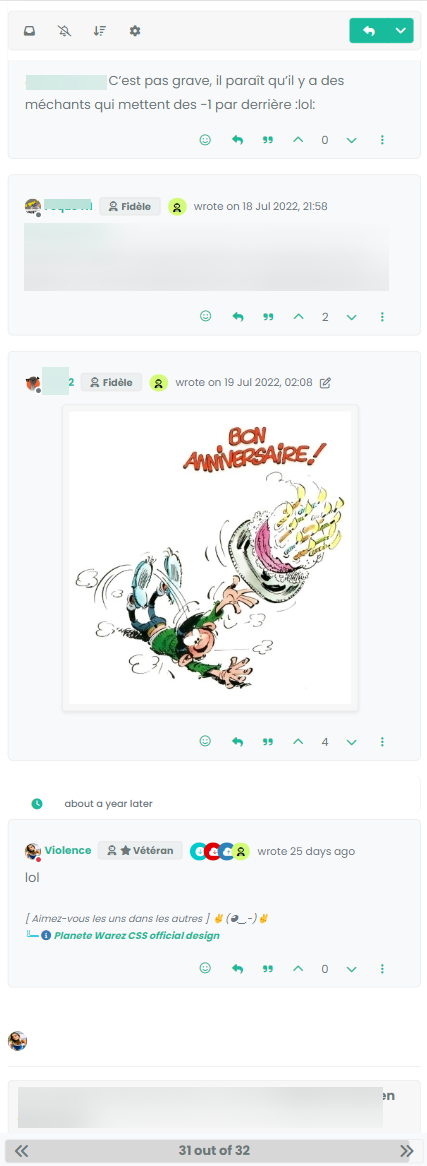
just the line from the timeline on the left that I can’t seem to display. But I note that it’s the same here on Smartphones
I need to check and recheck now

-
–> For now test function in production…
I provide all JS and CSS code for all after… and after @phenomlab check and validate of course– EDIT :
Can you correct the title of the topic please ?
PW and WS Spirit alive
-
–> For now test function in production…
I provide all JS and CSS code for all after… and after @phenomlab check and validate of course– EDIT :
Can you correct the title of the topic please ?
@DownPW done. Fixed a typo


Hello! It looks like you're interested in this conversation, but you don't have an account yet.
Getting fed up of having to scroll through the same posts each visit? When you register for an account, you'll always come back to exactly where you were before, and choose to be notified of new replies (either via email, or push notification). You'll also be able to save bookmarks and upvote posts to show your appreciation to other community members.
With your input, this post could be even better 💗
Register LoginRelated Topics
-
-
-
-
-
-
-
-
Fontawesome 5
Unsolved Customisation