Skip to content

Permission issues

Solved Bugs
8 2 2.4k 1
  • How do I chsnge Theme to blackout, I went to settings, but couldnt ses it
    I did see lots of things to change that I thought only Admins can configure!

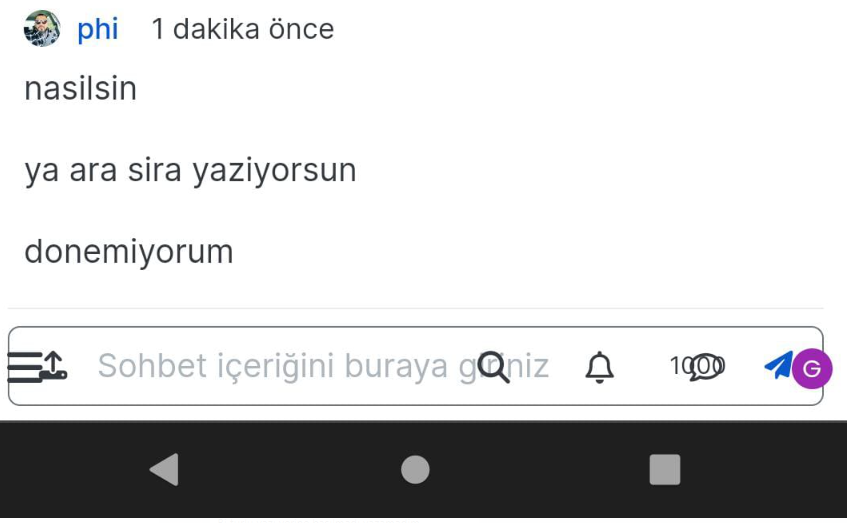
  • Tried to edit at 02:01 by pressing 3 dot icon, and no edit in list
    Screenshot_20230705_020036_Chrome~2.jpg

    @Panda I forked this topic out of the previous thread as it’s an issue in it’s own right. Having checked, I see the reason why
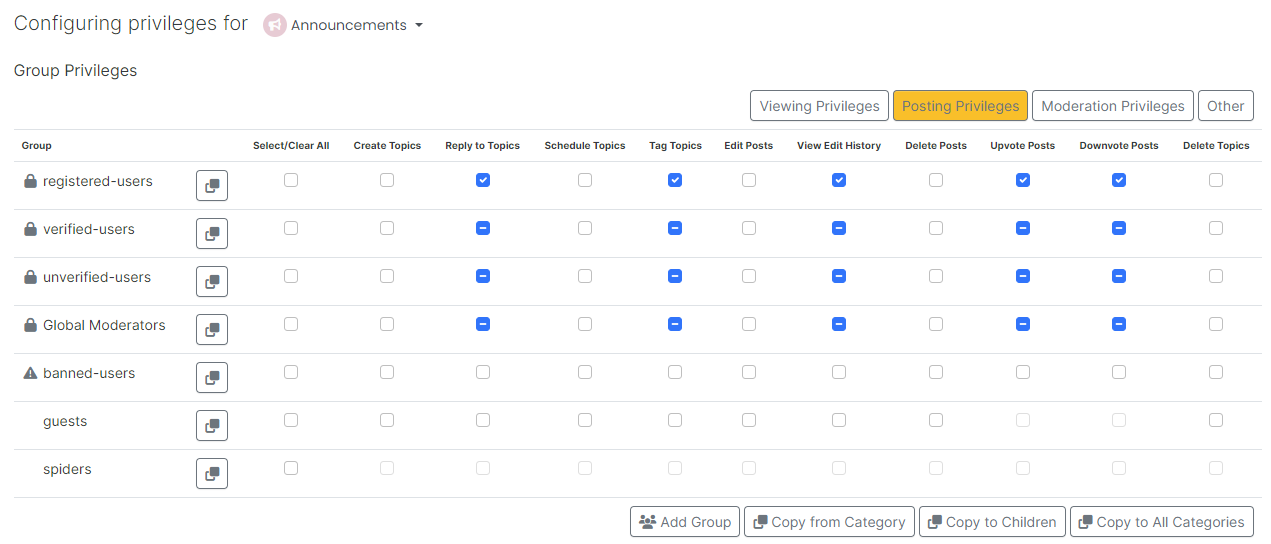
    06d082f0-6c7d-443b-98bc-94db5f3e5d0e-image.png

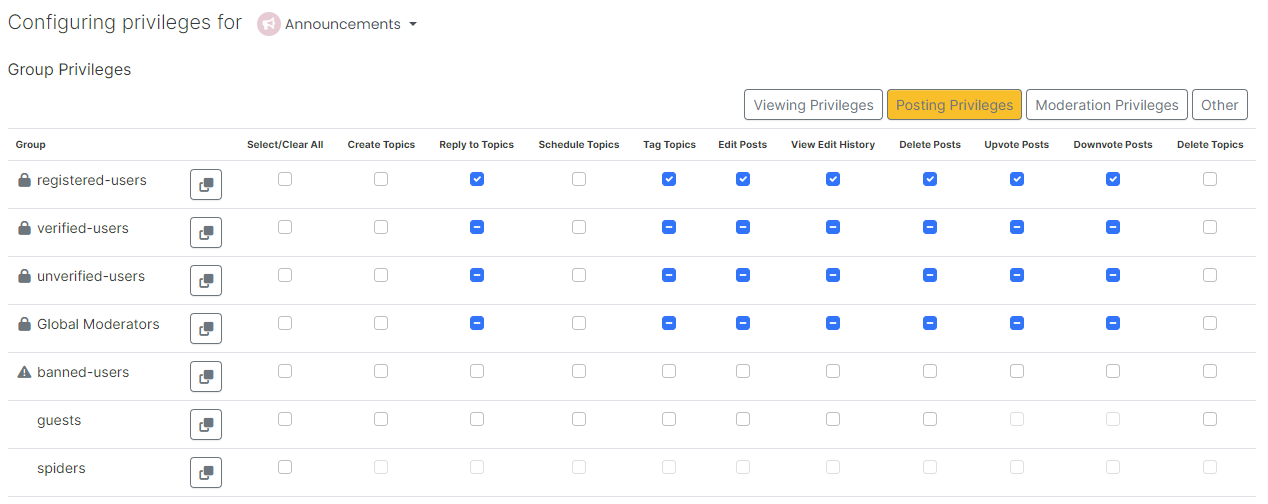
    As you can see from the screenshot, category “Announcements” does not permit editing. This specific category was originally read only, which I then changed to members could reply. Looks like I forgot to add the right to edit 😕

    Should be fixed now

    a533d8ff-23f1-432e-a4a6-3d10cb05a46d-image.png

  • Actually I seem to have more limited options that usual. I tried to edit the above post to correct my typo, but cant.
    No edit in list, although only 2mins after I posted

  • Is it because my group name changed to ‘Regular’? (thats better than 'collaborator)
    Are my permissions messed up?

  • Is it because my group name changed to ‘Regular’? (thats better than 'collaborator)
    Are my permissions messed up?

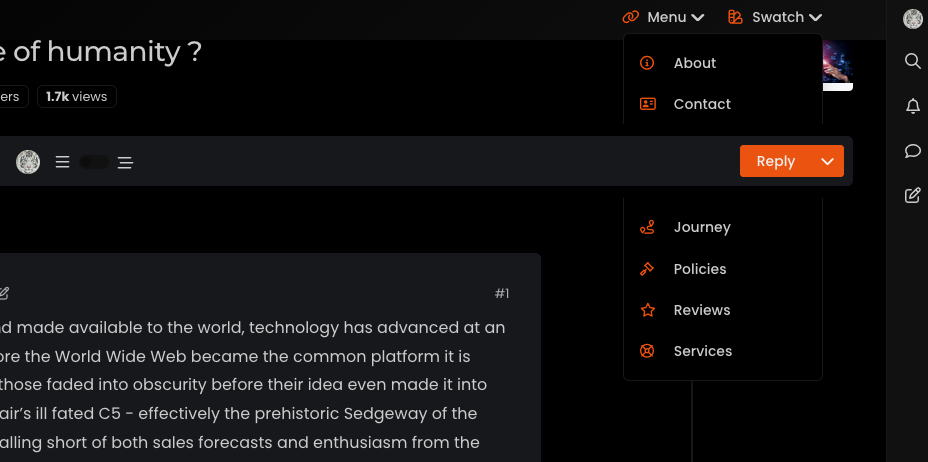
    @Panda no, they aren’t. You’re looking in the wrong place. If you are using a mobile, have a look at the top right hand corner and you’ll see a paint Swatch icon. Press that and you’ll see the theme switcher.

    This was written by me, and not NodeBB, so it’s in a different (and logical place).

    The post editing should work for 15 minutes. Not sure what’s happened there but I’ll take a look.

  • Is it because my group name changed to ‘Regular’? (thats better than 'collaborator)
    Are my permissions messed up?

    @Panda checked, and the setting below is set to 3600 as I thought it would be:

    Number of seconds a post remains editable (set to 0 to disable)

  • Test 02:00

  • Tried to edit at 02:01 by pressing 3 dot icon, and no edit in list
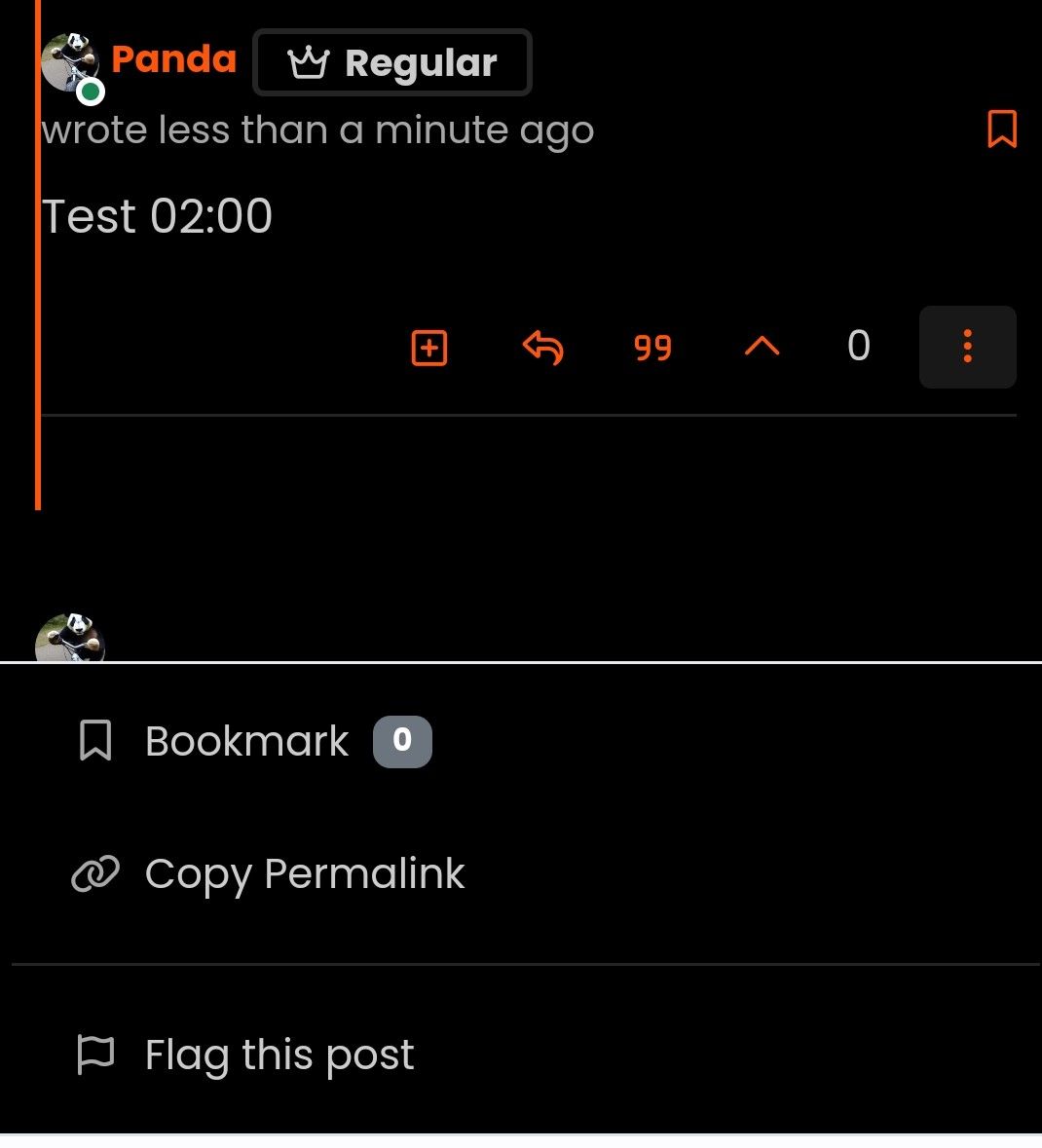
    Screenshot_20230705_020036_Chrome~2.jpg

  • Tried to edit at 02:01 by pressing 3 dot icon, and no edit in list
    Screenshot_20230705_020036_Chrome~2.jpg

    @Panda I forked this topic out of the previous thread as it’s an issue in it’s own right. Having checked, I see the reason why

    06d082f0-6c7d-443b-98bc-94db5f3e5d0e-image.png

    As you can see from the screenshot, category “Announcements” does not permit editing. This specific category was originally read only, which I then changed to members could reply. Looks like I forgot to add the right to edit 😕

    Should be fixed now

    a533d8ff-23f1-432e-a4a6-3d10cb05a46d-image.png

  • phenomlabundefined phenomlab marked this topic as a question on
  • phenomlabundefined phenomlab has marked this topic as solved on

Did this solution help you?
Did you find the suggested solution useful? Support 💗 Sudonix with a coffee ☕
If your organisation needs deeper expertise around infrastructure, security, or technology leadership, learn more about Phenomlab Ltd. Many of the deeper technical guides behind Sudonix are published there.

Related Topics
  • Layout Issues/Transparency

    Solved Bugs bug reply transparent
    5
    2
    2 Votes
    5 Posts
    2k Views
    @phenomlab said in Layout Issues/Transparency: Does it work properly now? Yes, it does
  • problem with search page and copyright in footer

    Solved Bugs bug
    13
    1
    6 Votes
    13 Posts
    3k Views
    @phenomlab yes, search page is fixed thanks
  • nodebb error logs

    Bugs nodebb
    6
    2
    4 Votes
    6 Posts
    2k Views
    I just wanted to ask because I don’t have much knowledge about the new installation. Thank you for the explanatory answer.
  • Is NTFY working properly on iOS?

    Bugs
    10
    5 Votes
    10 Posts
    3k Views
    @phenomlab thx, the same for us. It sees 1.7.3 as the last version although it is updated to 1.7.4… i will report this to @barisusakli
  • Bug Report

    Solved Bugs nodebb bugs
    47
    1
    26 Votes
    47 Posts
    17k Views
    @crazycells Good points, thanks. I completely forgot that classes are added - makes life much simpler! EDIT - seems this is pretty straightforward, and only needs the below CSS .upvoted i { color: var(--bs-user-level) !important; } This then yields [image: 1718028529465-3f072f8a-ebfa-4910-8723-73c493b8e4eb-image.png] However, the caveat here is that the .upvoted class will only show for your upvotes, and nobody else’s. However, this does satisfy the original request however I would love to see my upvoted posts more clearly, because currently, when I upvote, nothing on the post tool is changing, it would be nicer if there is an indication that I have upvoted (like a filled or colored triangle?)
  • Rendering issues post migration to Sudonix theme/code

    Solved Bugs
    49
    1
    20 Votes
    49 Posts
    18k Views
    @cagatay Those are in /admin/extend/widgets/brand header. Look inside the HTML widget that is there, and you’ll find <div class="socialicons"> <a class="btn-ghost p-2" href="https://github.com/phenomlab" rel="noreferrer noopener"><i style="color: #333;background: #ffffff; width: 26px" class="fa fa-2x fa-github-square"></i></a> <a class="btn-ghost p-2" href="https://linkedin.com/in/phenomlab" rel="noreferrer noopener"><i style="color: #0077B5;background: #ffffff; width: 26px" class="fa fa-2x fa-brands fa-linkedin-square"></i></a> <a class="btn-ghost p-2" href="https://twitter.com/phenomlab" rel="noreferrer noopener"><i style="color: #1DA1F2;background: #ffffff; width: 26px" class="fa fa-2x fa-twitter-square"></i></a> <!-- <a class="btn-ghost p-2" href="https://www.facebook.com/sudonixtech" rel="noreferrer noopener"><i style="color: #4268B2;background: #ffffff; width: 26px" class="fa fa-2x fa-facebook-square"></i></a> --> </div> Remove that block and save.
  • Nodebb 3.2.2

    Bugs nodebb 3.2.2
    27
    1
    11 Votes
    27 Posts
    10k Views
    @crazycells yes, I’ve just seen that and modified the post. It seems to only happen if you have a space between the “greater than” symbol and the actual text. Clearly a markdown thing.
  • 2 Votes
    12 Posts
    4k Views
    @DownPW looks good to me.