Skip to content

Bottom footer navbar button extend

Solved Customisation
32 2 12.1k 1
  • Instructions

    1. Go to /admin/extend/widgets and locate the “Global Footer” widget
    2. At the very top of the existing code you have in that widget, add

    <div id="console-nav-tab"><i class="fa-solid fa-angles-left"></i></div>

    1. Add this CSS
    div#console-nav-tab {
    position: fixed;
        bottom: 0px;
        z-index: 900;
        height: 30px;
        left: 0px;
    }
    div#console-nav-tab i {
        font-size: 16px;
        margin-left: 10px;
        line-height: 2.0 !important;
    }
    .toBottom {
       bottom: 0px !important;
    }
    

    Note, that you probably need to modify the existing CSS ID floatleft to accommodate the additional DIV and icon. For example

    #floatleft {
        float: left;
        padding-left: 30px; /*additional left padding to support additional DIV and icon */
        font-size: 80%;
        line-height: 2.0;
        font-weight: 600;
        display: flex;
    }
    
    1. Go to /admin/appearance/customise#custom-js and add this block of code (bottom is fine, or wherever you want to place it)
    $(document).ready(function() {
        $(window).on('action:ajaxify.end', function(data) {
            var getState = localStorage.getItem("footer");
            if (getState === "hidden") {
                $("#console-nav-footer").hide();
                $("#console-nav-tab i").addClass("fa-solid fa-angles-right");
                $('.pagination-block').addClass("toBottom");
            } else {
                $("#console-nav-tab i").addClass("fa-solid fa-angles-left");
                $('.pagination-block').removeClass("toBottom");
            }
            $("#console-nav-tab").click(function() {
                $("#console-nav-footer").toggle(250, function() {
                    if ($("#console-nav-footer").is(":hidden")) {
                        localStorage.setItem("footer", "hidden");
                        $("#console-nav-tab i").addClass("fa-solid fa-angles-right");
                        $('.pagination-block').addClass("toBottom");
                    } else {
                        localStorage.setItem("footer", "shown");
                        $("#console-nav-tab i").addClass("fa-solid fa-angles-left");
                        $('.pagination-block').removeClass("toBottom");
                    }
                });
                $("i", this).toggleClass("fa-solid fa-angles-left fa-solid fa-angles-right");
            });
        });
    });
    
    1. Test, and make necessary modifications to suit your own environment
  • why deleted ?

  • why deleted ?

    @DownPW Because it’s not finished. I forgot the session state…

  • ha oki lol 😉

    another request but if it’s not possible, it does not matter 🙂

    Can we imagine when the footerbar is reduced, we descend the pagination block automatically ?

    ee0d46da-1589-4b66-8dd5-68fe63f80b82-image.png

    it would be cleaner. what do you think ?

  • ha oki lol 😉

    another request but if it’s not possible, it does not matter 🙂

    Can we imagine when the footerbar is reduced, we descend the pagination block automatically ?

    ee0d46da-1589-4b66-8dd5-68fe63f80b82-image.png

    it would be cleaner. what do you think ?

    @DownPW that should be possible, yes. Leave it with me

  • @DownPW instructions restored

    Fixed:

    • Footer does not collapse correctly on reload
    • Record session state in session, and not cookies (mostly because cookies can be disabled)
    • Pagination bar drops to fill missing footer on collapse
    • Correct icon direction displayed when expanding and collapsing

    Let me know how you get on.

    Note that there may be some cosmetic issues on mobile devices, which I will work through if necessary. In some cases it’s actually better to hide the footer altogether on mobile because of the screen estate.

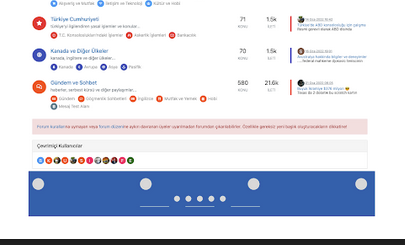
    Here’s what it looks like

  • phenomlabundefined phenomlab has marked this topic as solved on
  • @phenomlab

    Very good job Mark 😉

    –> I may have done something wrong but everything is ok except the pagination block which does not go down automatically.

    An idea ?

  • @phenomlab

    Very good job Mark 😉

    –> I may have done something wrong but everything is ok except the pagination block which does not go down automatically.

    An idea ?

    @DownPW not sure without checking, but I’ll have a look later

  • @phenomlab

    I have check and see my error 🙂

    Oh my god, it’s beautiful mark 😉

  • @phenomlab

    I have check and see my error 🙂

    Oh my god, it’s beautiful mark 😉

    @DownPW great ! Post a video so we can see how it looks outside of Sudonix 👍

  • @DownPW great ! Post a video so we can see how it looks outside of Sudonix 👍

    @phenomlab What tools you use ?

  • @phenomlab What tools you use ?

    @DownPW one of the many freely available screen recorders for chrome (extensions). Nothing fancy.

  • @phenomlab said in Bottom footer navbar button extend:

    @DownPW great ! Post a video so we can see how it looks outside of Sudonix 👍
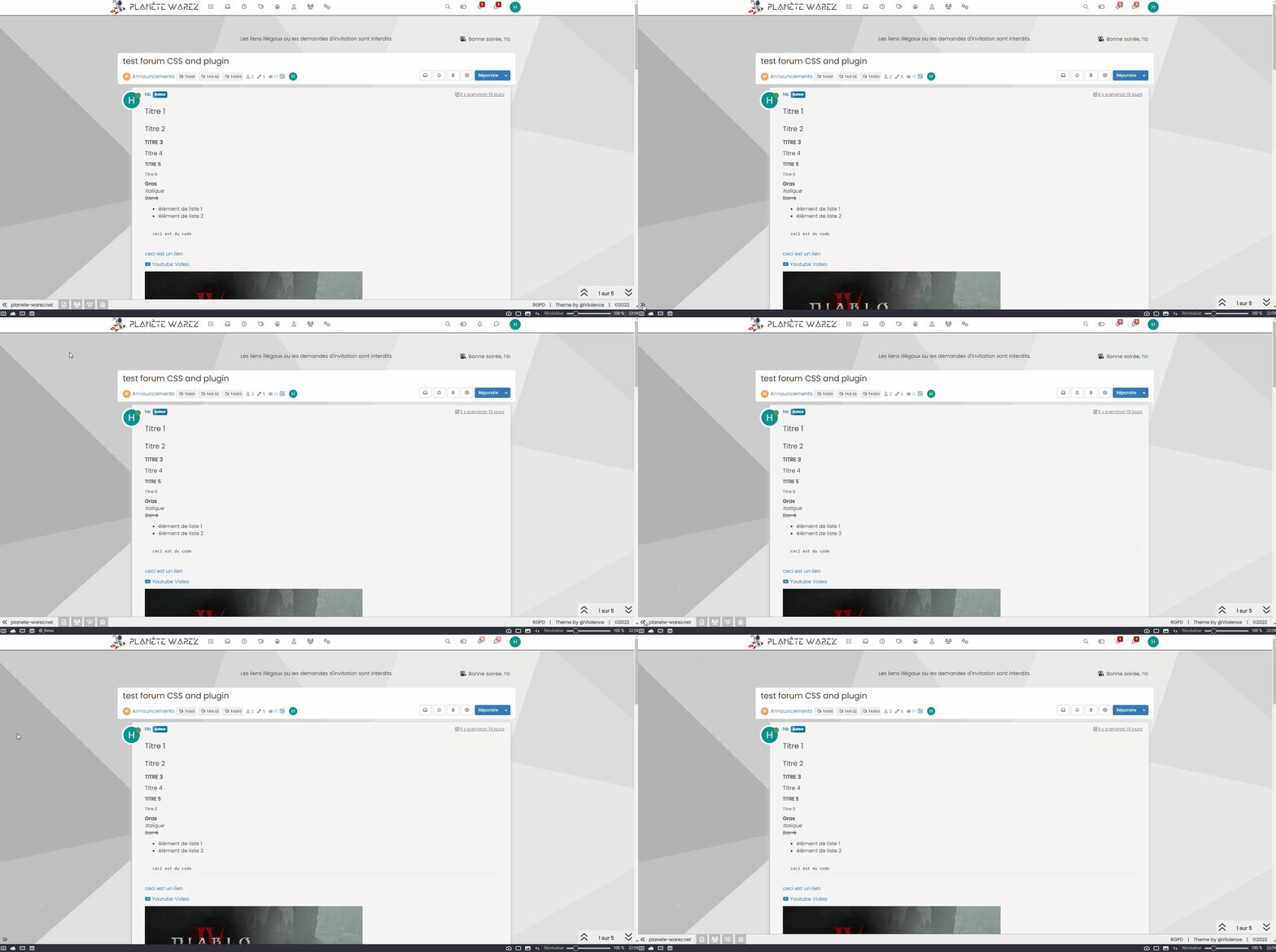
    Animation.gif

  • @phenomlab said in Bottom footer navbar button extend:

    @DownPW great ! Post a video so we can see how it looks outside of Sudonix 👍

    Animation.gif

    @DownPW Looks great !

  • @DownPW said in Bottom footer navbar button extend:

    Oh my god, it’s beautiful mark

    I liked this design so much, I’ve implemented it here. I intend to do a lot more with the footer in due course, so hiding it makes a lot of sense. Thanks @DownPW for the idea and initial concept ♥

  • phenomlabundefined phenomlab referenced this topic on

Did this solution help you?
Did you find the suggested solution useful? Support 💗 Sudonix with a coffee
If your organisation needs deeper expertise around infrastructure, security, or technology leadership, learn more about Phenomlab Ltd. Many of the deeper technical guides behind Sudonix are published there.

Related Topics
  • 14 Votes
    17 Posts
    4k Views
    No problem dude ! I hope you have a good vacation. Enjoy your loved ones!
  • chat list navbar

    Solved Customisation css navbar chat menu
    30
    2
    3 Votes
    30 Posts
    10k Views
    No no it’s ok @phenomlab I just comment the 2 lines mentionned aboves
  • Fontawesome 5

    Unsolved Customisation fonts css nodebb
    14
    1 Votes
    14 Posts
    4k Views
    @pwsincd hi. Just following up on this thread (I know it’s old) but was curious to understand if it’s still an issue or not ?
  • background color of the footer area

    Solved Customisation nodebb
    7
    1
    7 Votes
    7 Posts
    2k Views
    @phenomlab thank you very much
  • 5 Votes
    9 Posts
    5k Views
    @phenomlab Very very great Mark Thanks again, It’s perfect now ! –> I share my code that I modified. I’ve added French and English comments. If you see things to change Mark, don’t hesitate. As usual, all the access paths (FA icons, logo) will have to be modified according to your architecture. You can also very well add/remove time slots and change welcome messages to suit your needs. Widgets ACP/HTML Widget Footer Logo <center> <br><br> <img id="thislogo" src="path/to/my/image"> </center> Widget Welcome Message <!-- IF loggedIn --> <div class="getUsername">, <a href="/me"><span class="username"></span></a></div> <!-- ENDIF loggedIn --> CSS – I added the size font-weight: 900; in the CSS because otherwise some FA icon wasn’t displayed correctly and reduce margin : i#thisicon { font-family: "Font Awesome 5 Free"; font-style: normal; margin-right: 8px; font-weight: 900; } .getUsername { padding-top: 20px; text-align: right; } /*Smartphone*/ /*On désactive le message de bienvenue"*/ /*We disable the welcome message"*/ @media all and (max-width: 1024px) { .getUsername { display: none; } } JAVASCRIPT // ------------------------------------------ // Welcome Message avec icône et Footer logo // Welcome Message with icon and Footer logo // ------------------------------------------ $(window).on('action:ajaxify.end', function (data) { //On récupère le username dans le DOM et on l'affiche //We retrieve the username from the DOM and display it function updateUsername() { $('.getUsername .username').text(app.user.username); } if (document.readyState === 'loading') { document.addEventListener('DOMContentLoaded', updateUsername); } else { updateUsername(); } //On déclare les variables principales (themessage & thehours) ainsi que les variables secondaires correspondants aux plages horaires //We declare the main variables (themessage & thehours) as well as the secondary variables corresponding to the time slots var thehours = new Date().getHours(); var themessage; var wakeup = ('Good day'); var morning = ('Good morning'); var lunch = ('Bon appétit'); var afternoon = ('Good afternoon'); var drink = ('Cheers'); var evening = ('Good evening'); var night = ('Good night'); var welcome = ('Welcome'); var matched = false; //On peux ici tester le résultat du code en spécifiant une heure (!!!IMPORTANT: Commenter une fois le script testé!!!) //Here we can test the result of the code by specifying a time (!!!IMPORTANT: Comment once the script has been tested!!!) //thehours = 20 //On déclare les plages horaires avec les icones FA et les logos //We declare the time slots with FA icons and logos path if (thehours >= 0 && thehours < 6) { themessage = night; theicon = "fa-solid fa-moon"; thelogo = "/assets/customlogo/XXX.png"; } else if (thehours >= 6 && thehours < 8) { themessage = wakeup; theicon = "fa-solid fa-mug-hot"; thelogo = "/assets/customlogo/XXX.png"; } else if (thehours >= 8 && thehours < 12) { themessage = morning; theicon = "fa-solid fa-sun"; thelogo = "/assets/customlogo/XXX.png"; } else if (thehours >= 12 && thehours < 13) { themessage = lunch; theicon = "fas fa-hamburger"; thelogo = "/assets/customlogo/XXX.png"; } else if (thehours >= 13 && thehours < 16) { themessage = afternoon; theicon = "fa-solid fa-sun"; thelogo = "/assets/customlogo/XXX.png"; } else if (thehours >= 16 && thehours < 18) { themessage = welcome; theicon = "fa-solid fa-rocket"; thelogo = "/assets/customlogo/XXX.png"; } else if (thehours >= 18 && thehours < 19) { themessage = drink; theicon = "fa-solid fa-wine-glass"; thelogo = "/assets/customlogo/XXX.png"; } else if (thehours >= 19 && thehours < 20) { themessage = lunch; theicon = "fas fa-pizza-slice"; thelogo = "/assets/customlogo/XXX.png"; } else if (thehours >= 20 && thehours < 24) { themessage = evening; theicon = "fa-solid fa-tv"; thelogo = "/assets/customlogo/XXX.png"; } // Si la page active est un topic, on désactive/cache le message de bienvenue // If the active page is a topic, we deactivate/hide the welcome message if (window.location.href.indexOf("topic") > -1) { console.log("This is a topic, so hide the user welcome message"); $('#thisuser').hide(); } // Sinon, on affiche le message en fonction, l'icone FA et son emplacement (prepend) // Otherwise, we display the message in function, the FA icon and its location (prepend) else { $('.getUsername').prepend("<i id='thisicon' class='" + theicon + "'></i>" + themessage); $("#thislogo").attr("src", thelogo); //$('.getUsername').prepend("<img id='thisicon' src='" + thelogo + "'></>" + themessage); } });
  • [NODEBB] Scroll Button

    Solved Customisation css javascript html scroll button
    7
    1
    0 Votes
    7 Posts
    2k Views
    @downpw ooops. Forgot that. Thanks for adding.
  • NodeBB Footer

    Solved Customisation footer nodebb
    10
    1 Votes
    10 Posts
    3k Views
    @phenomlab said in NodeBB Footer: @jac and you. Hope all is well and you recover quickly Thanks pal
  • Bug Navbar CSS

    Solved Customisation navbar css
    3
    1 Votes
    3 Posts
    1k Views
    Not better way. Thanks.