Skip to content
  • nodebb dropdown menu

    Solved Configure nodebb
    5
    1
    0 Votes
    5 Posts
    1k Views
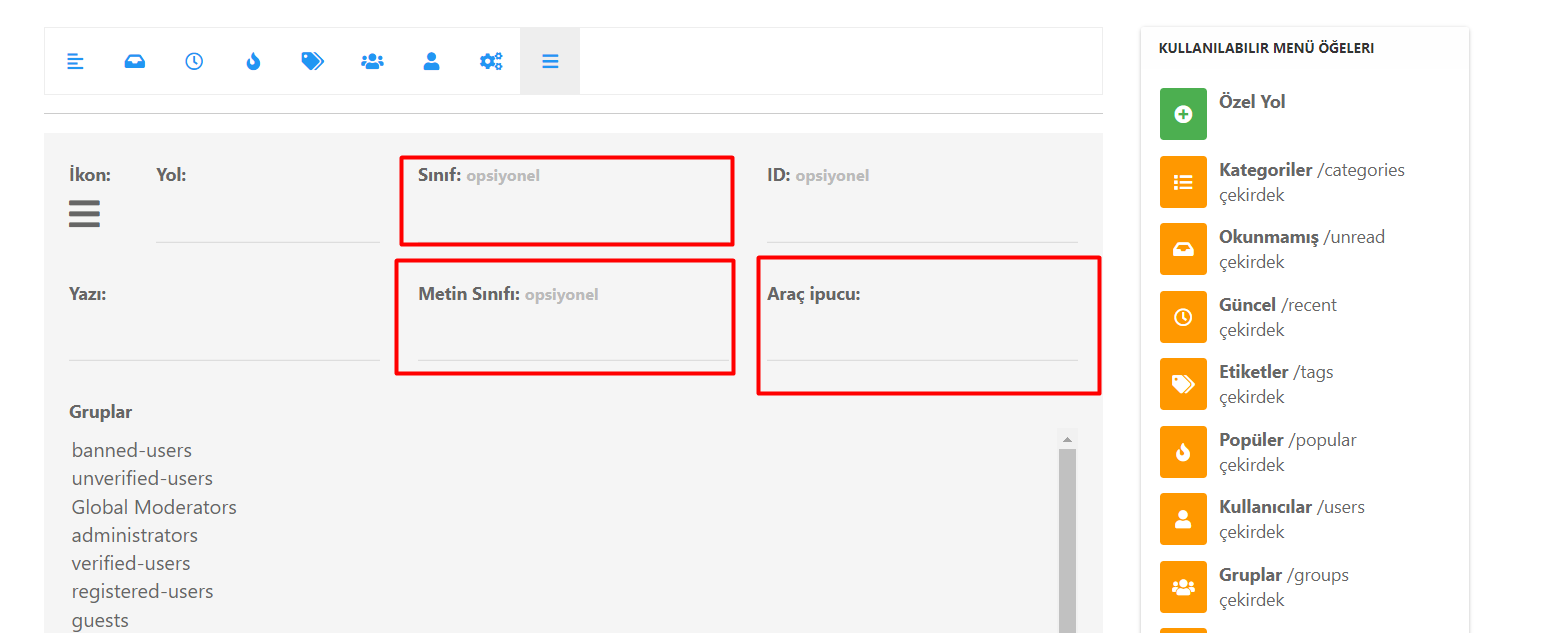
    @phenomlab said in nodebb dropdown menu: @kurulumu-net You set it like the below example taken from this site [image: 1637939951821-aae36790-3257-4bb2-ad5a-0d744309876a-image.png] Which presents this [image: 1637939983445-77f47260-2941-4afe-9614-8e17dcfc8c19-image.png] Very interesting… I actually thought this wasn’t possible, as I remember it being asked in the NodeBB forum. Is this something new that’s been implemented? I’ll 100% be doing that when I’m on the laptop over the weekend.
  • NodeBB Discord Plugins

    Unsolved Customisation nodebb discord plugin
    7
    0 Votes
    7 Posts
    2k Views
    @RiekMedia hi. Just following up on this thread (I know it’s old) but was curious to understand if it’s still an issue or not ?
  • Nodebb Hashtag plugin

    Solved General
    15
    1 Votes
    15 Posts
    3k Views
    @jac Great ! I’ll close this off.
  • Iframely (Nodebb)

    Solved Configure
    40
    4 Votes
    40 Posts
    9k Views
    @DownPW This is now resolved. The issue was an incorrect URL specified in the Nodebb plugin. I’ve corrected this, and now it works as intended.
  • NodeBB vs Discourse

    Chitchat nodebb discourse board
    25
    6 Votes
    25 Posts
    8k Views
    @phenomlab said in NodeBB vs Discourse: Hetzner eh ? I use them also. In fact, Sudonix is hosted in Nuremberg yes i’m also at hetzner, i have been a customer there for years with a reseller account for domains. My VPS that I host there are also in Nuremberg
  • nodebb-plugin-customize error

    Solved Customisation
    25
    2 Votes
    25 Posts
    10k Views
    @phenomlab it work, thanks
  • NodeBB Design help

    Solved Customisation
    8
    3
    2 Votes
    8 Posts
    2k Views
    @riekmedia I’ve applied some new CSS to your site. Can you reload the page and try again ? For the record, this is what I added #footer { background: #2d343e; border-top: 4px solid #2d343e; font-size: 0.9em; margin-top: 70px; padding: 80px 0 0; position: relative; clear: both; bottom: 0; left: 0; right: 0; z-index: 1000; margin-left: -15px; margin-right: -338px; } The /categories page seems a bit messed up, so looking at that currently EDIT - issued some override CSS in the CATEGORIES widget <!--- CSS fix for overspill on /categories page - DO NOT DELETE --> <style> #footer { margin-right: -45px; } </style> That should resolve the /categories issue.
  • Display tweets in widget [NodeBB]

    Solved Customisation
    29
    4 Votes
    29 Posts
    9k Views
    @phenomlab brilliant, many thanks Mark
  • RSS parser script [NodeBB]

    Customisation nodebb rss script
    47
    9 Votes
    47 Posts
    14k Views
    @phenomlab said in RSS parser script [NodeBB]: @jac Not yet. Sorry. Have some other work commitments I need to prioritise. Hoping to get to this over the weekend. No worries at all mate, thanks
  • [NodeBB] custom Gravatar image not showing

    Solved Customisation
    6
    1 Votes
    6 Posts
    2k Views
    @jac said in [NodeBB] custom Gravatar image not showing: @phenomlab said in [NodeBB] custom Gravatar image not showing: @jac are you using Custom ? Sure am mate Confirmed Fixed
  • unable to upvote on forum

    Solved Performance
    10
    1
    3 Votes
    10 Posts
    2k Views
    @phenomlab yes, i can understand. it is working now
  • Customising NodeBB

    Locked Customisation nodebb
    3
    0 Votes
    3 Posts
    2k Views
    Closing this thread as a duplicate of https://sudonix.com/topic/12/nodebb-customisation
  • [NodeBB] Creating new user to auto post content

    Solved Customisation
    3
    0 Votes
    3 Posts
    2k Views
    @phenomlab many thanks Mark .
  • WordPress & NodeBB

    Solved WordPress
    6
    0 Votes
    6 Posts
    2k Views
    @jac That won’t matter. You just redirect at nginx or apache level and it’ll work. The generally accepted standard though is to use a subdomain.