Multiple link on one ico non Navbar
-
Hello @phenomlab
How do you do this Multiple Route ?
On ACP it’s impossible to add multiple route on one Icon no?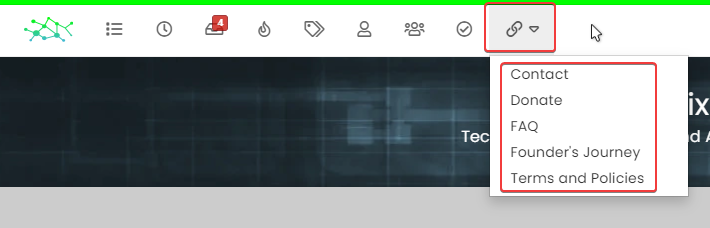
Thanks

PW and WS Spirit alive
-
Hmmm I don’t understand.
I haven’t got a text area for write HTML Code on my ACP (Screenshot)
I haven’t got a Dropdown Cursor like your screenshot. Just Open in New Windows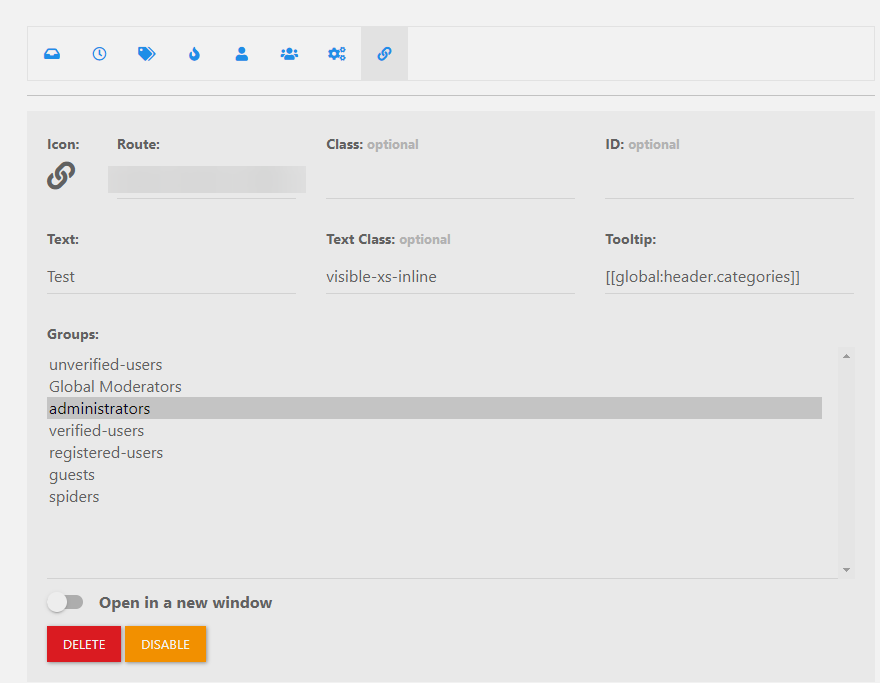
So Sorry
@downpw very odd. Can you perhaps scroll down inside that window ? Also, what NodeBB version are you running ? I think this was introduced in 18.5 - I recall you have 18.4 in test.
-
Hello @phenomlab
How do you do this Multiple Route ?
On ACP it’s impossible to add multiple route on one Icon no?Thanks
Mark Cutting also advises organisations as a Fractional CIO, Fractional CISO and Executive Advisor, helping boards improve technology governance, cyber resilience and executive decision making. Learn more at Gratmore Ltd
-
PW and WS Spirit alive
-
@downpw it’s not been withdrawn. You have to write html code in the widgets as per the screenshot
-
Hmmm I don’t understand.
I haven’t got a text area for write HTML Code on my ACP (Screenshot)
I haven’t got a Dropdown Cursor like your screenshot. Just Open in New WindowsSo Sorry
PW and WS Spirit alive
-
Hmmm I don’t understand.
I haven’t got a text area for write HTML Code on my ACP (Screenshot)
I haven’t got a Dropdown Cursor like your screenshot. Just Open in New WindowsSo Sorry
@downpw very odd. Can you perhaps scroll down inside that window ? Also, what NodeBB version are you running ? I think this was introduced in 18.5 - I recall you have 18.4 in test.
-
 undefined phenomlab has marked this topic as solved on
-
yeah you’re right @phenomlab.
Problem of NodeBB Version

Hello! It looks like you're interested in this conversation, but you don't have an account yet.
Getting fed up of having to scroll through the same posts each visit? When you register for an account, you'll always come back to exactly where you were before, and choose to be notified of new replies (either via email, or push notification). You'll also be able to save bookmarks and upvote posts to show your appreciation to other community members.
With your input, this post could be even better 💗
Register LoginDid this solution help you?
Related Topics
-
-
-
-
-
-
-
-
Bug Navbar CSS
Solved Customisation