
Ethernet speed VERY slow
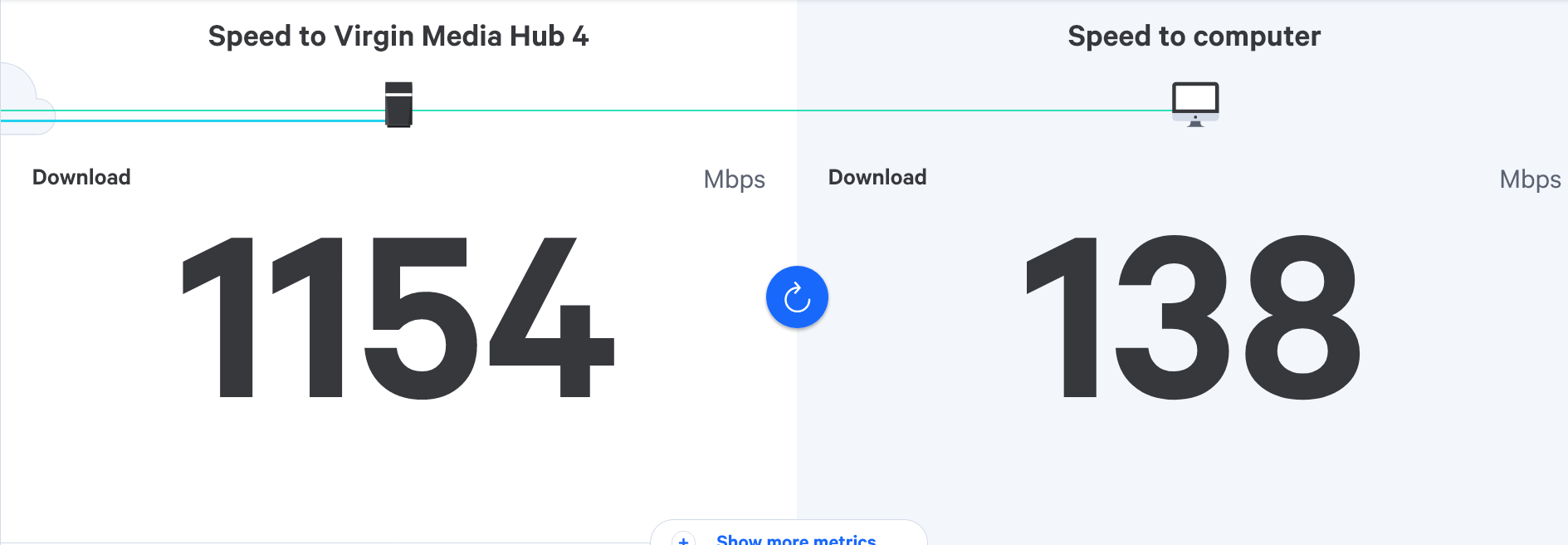
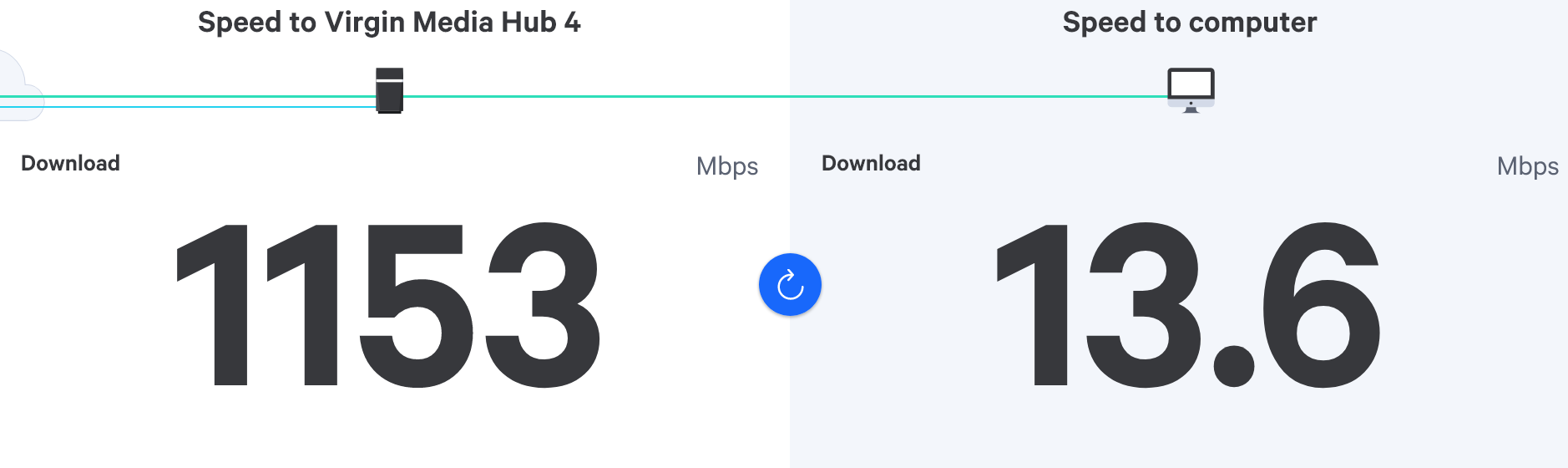
-
@phenomlab said in Ethernet speed VERY slow:
is the device in question connected directly to the hub or is there anything in between such as power line adapters etc?
Not at all pal, pure WiFi connection.
We have some WiFi adapters (pods) from virgin media, if unplugged naturally speed gets worse.

@JAC can you plug a laptop with a wired connection into the back of the router and run a speed test from there?
Let’s cut out the Wi-Fi for the moment and handle each issue individually. If your still get poor speeds from the Virgin hub then this is the first place to troubleshoot.
The ports there should be set to auto speed and duplex but this night not be the case. If they are (for example) set to 100Mbps then you won’t see much over that.
Mark Cutting also advises organisations as a Fractional CIO, Fractional CISO and Executive Advisor, helping boards improve technology governance, cyber resilience and executive decision making. Learn more at Gratmore Ltd
-
@JAC can you plug a laptop with a wired connection into the back of the router and run a speed test from there?
Let’s cut out the Wi-Fi for the moment and handle each issue individually. If your still get poor speeds from the Virgin hub then this is the first place to troubleshoot.
The ports there should be set to auto speed and duplex but this night not be the case. If they are (for example) set to 100Mbps then you won’t see much over that.

@phenomlab thanks very much for the advice, I’ll try this later when back.
-
@phenomlab thanks very much for the advice, I’ll try this later when back.
@JAC no problems. Let me know how your get on.
Mark Cutting also advises organisations as a Fractional CIO, Fractional CISO and Executive Advisor, helping boards improve technology governance, cyber resilience and executive decision making. Learn more at Gratmore Ltd
-
@JAC can you plug a laptop with a wired connection into the back of the router and run a speed test from there?
Let’s cut out the Wi-Fi for the moment and handle each issue individually. If your still get poor speeds from the Virgin hub then this is the first place to troubleshoot.
The ports there should be set to auto speed and duplex but this night not be the case. If they are (for example) set to 100Mbps then you won’t see much over that.
@phenomlab said in Ethernet speed VERY slow:
If your still get poor speeds from the Virgin hub then this is the first place to troubleshoot.
I thought it may be an issue with the router but there is over 1gbps feeding into the box as confirmed running speed tests & speaking to Virgin, unsure how reliable it is but Virgin told me to use this - https://samknows.com/realspeed/
-
@phenomlab Will do pal.
-
@phenomlab said in Ethernet speed VERY slow:
If your still get poor speeds from the Virgin hub then this is the first place to troubleshoot.
I thought it may be an issue with the router but there is over 1gbps feeding into the box as confirmed running speed tests & speaking to Virgin, unsure how reliable it is but Virgin told me to use this - https://samknows.com/realspeed/
@JAC yes, Sam Knows is a well respected site.
Mark Cutting also advises organisations as a Fractional CIO, Fractional CISO and Executive Advisor, helping boards improve technology governance, cyber resilience and executive decision making. Learn more at Gratmore Ltd
-
@phenomlab good to know.
Hello! It looks like you're interested in this conversation, but you don't have an account yet.
Getting fed up of having to scroll through the same posts each visit? When you register for an account, you'll always come back to exactly where you were before, and choose to be notified of new replies (either via email, or push notification). You'll also be able to save bookmarks and upvote posts to show your appreciation to other community members.
With your input, this post could be even better 💗
Register LoginDid this solution help you?
Related Topics
-
-
-

Linksys EA6400
Solved Networks -
Issues with routing
Solved Networks -
-